LINE Bank Thailand
QR Payment
What I did
I led the 0→1 design of LINE Bank’s QR payment feature, launching customizable QR designs and adaptive checkout flows for consumers and merchants. In this project, you’ll see how I designed flexibly within banking constraints, integrated social elements into the payment experience, and drove a 134% increase in monthly transactions.
My role
Product Designer
Platform
Web app
Timeline
Skills
Market research, User flow, Wireframing, Prototyping, Data analysis
Team
1 Product Manager
1 Graphic Designer
5 Engineers
Context
QR payment market is growing rapidly
In 2021, QR payments in Thailand grew by 144%, with around 4 million merchants using standard QR codes. The actual market size may be even larger when including informal and non-business sellers.
High demand from merchants
QR payments are especially popular among small businesses because they’re easy to set up and require little to no upfront cost.
Problem statement
As a latecomer to QR payments, LINE Bank faced the challenge of differentiating itself in a competitive landscape.
Impact
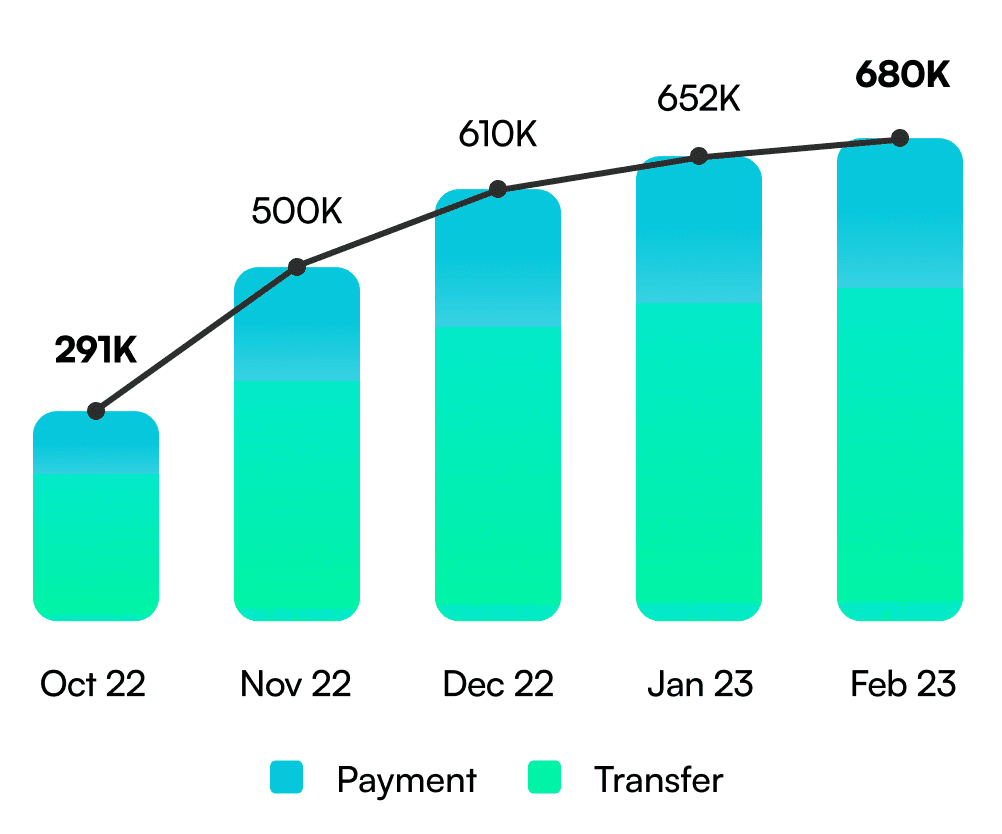
Increased monthly transaction volume by 134%
Target user

Consumer
With COVID-19 raising concerns about physical transactions, demand for contactless options is rising. Now, 82% of Thais are considering QR payments.

Merchant
Merchants struggle to access financial services due to high terminal costs and connection issues. QR payments are a good solution because they don't need payment terminals.
Business requirements
QR Scanner
Allows users to scan personal or merchant QR codes to make payments.
My QR
Generates a personal QR code to request and receive money from others.
What I focused on
01
Differentiating the experience
As a latecomer in the QR payment space, we needed a clear value proposition. I focused on creating a smoother and more engaging payment experience to stand out from existing options.
02
Improving discoverability
To increase awareness and usage, I proposed placing the QR feature in key locations like the main page, making it easier for users to discover and access.
03
Connecting QR with existing transfer flow
To ensure a seamless experience, I designed the QR payment to integrate naturally with LINE Bank’s existing money transfer feature, adapting the flow to different QR types.
Differentiating the experience
Market research
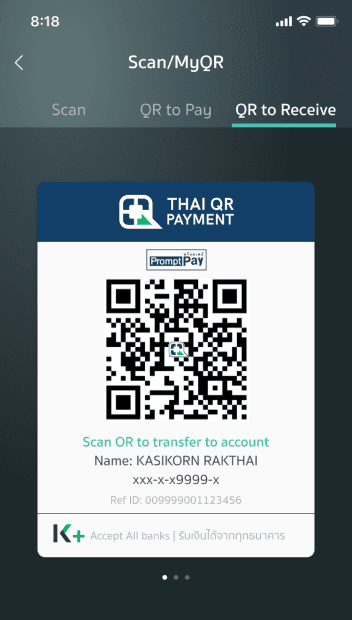
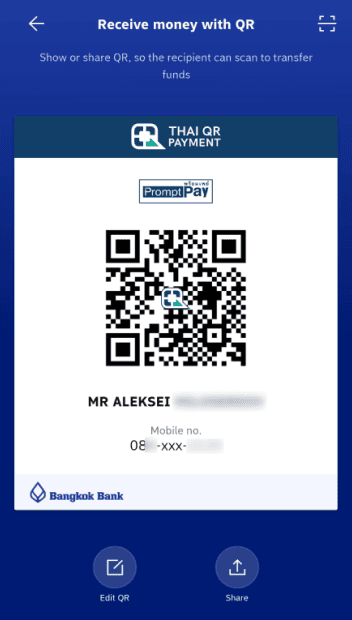
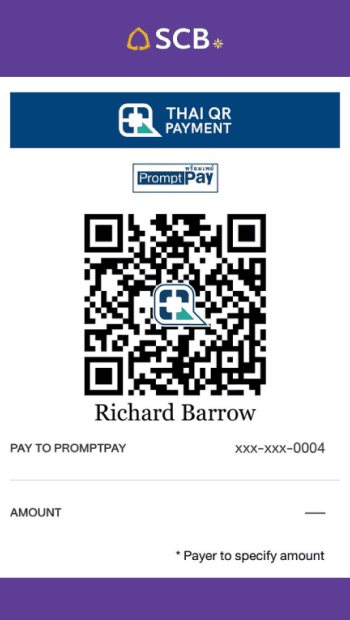
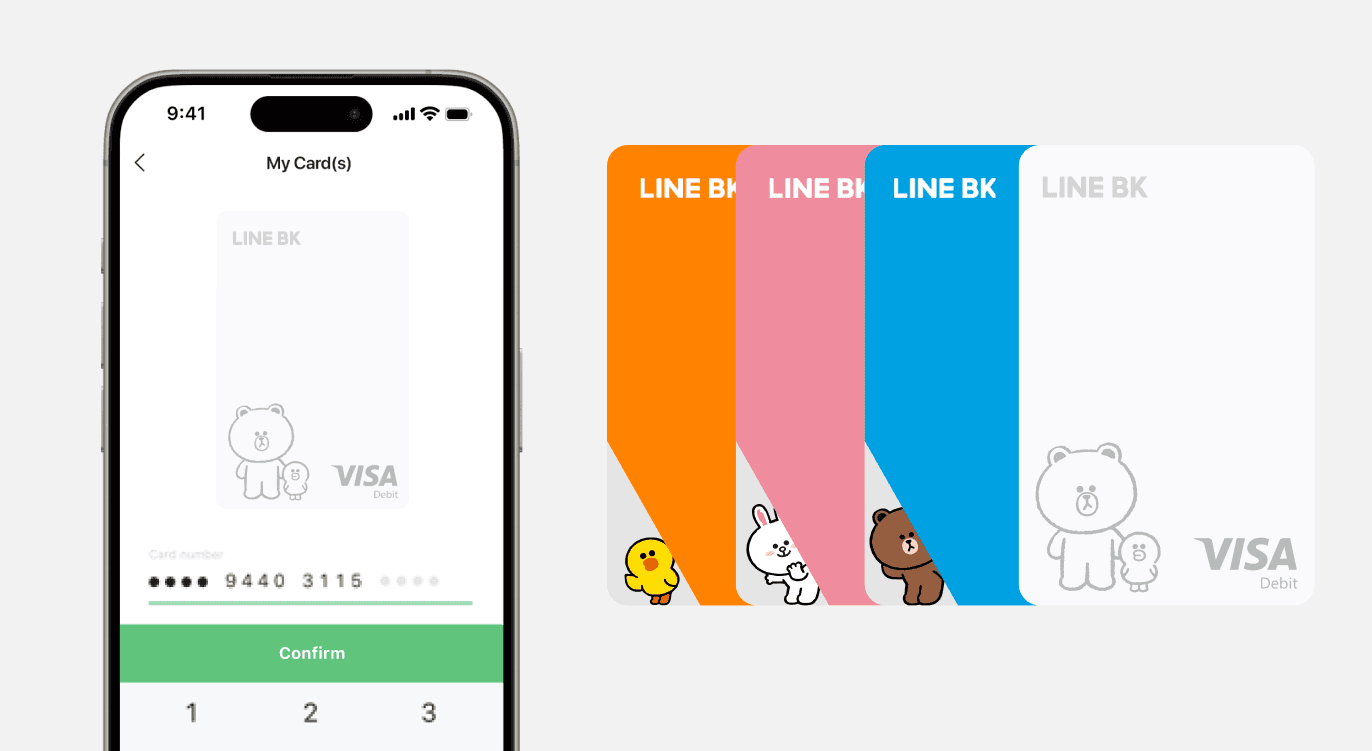
Competitor QR screens are plain, while Thai users prefer playful, illustrated designs.
Competitor QR screens: Basic and unengaging
Most major Thai banks use simple QR screens with just a logo on a solid background, making them visually dull and less engaging.
Illustrated designs Thai users love
Thai users love cute, illustrated designs, as seen in the 2.8M LINE character debit cards issued in two years. We decided to bring that charm into our QR payment.
Feature concept
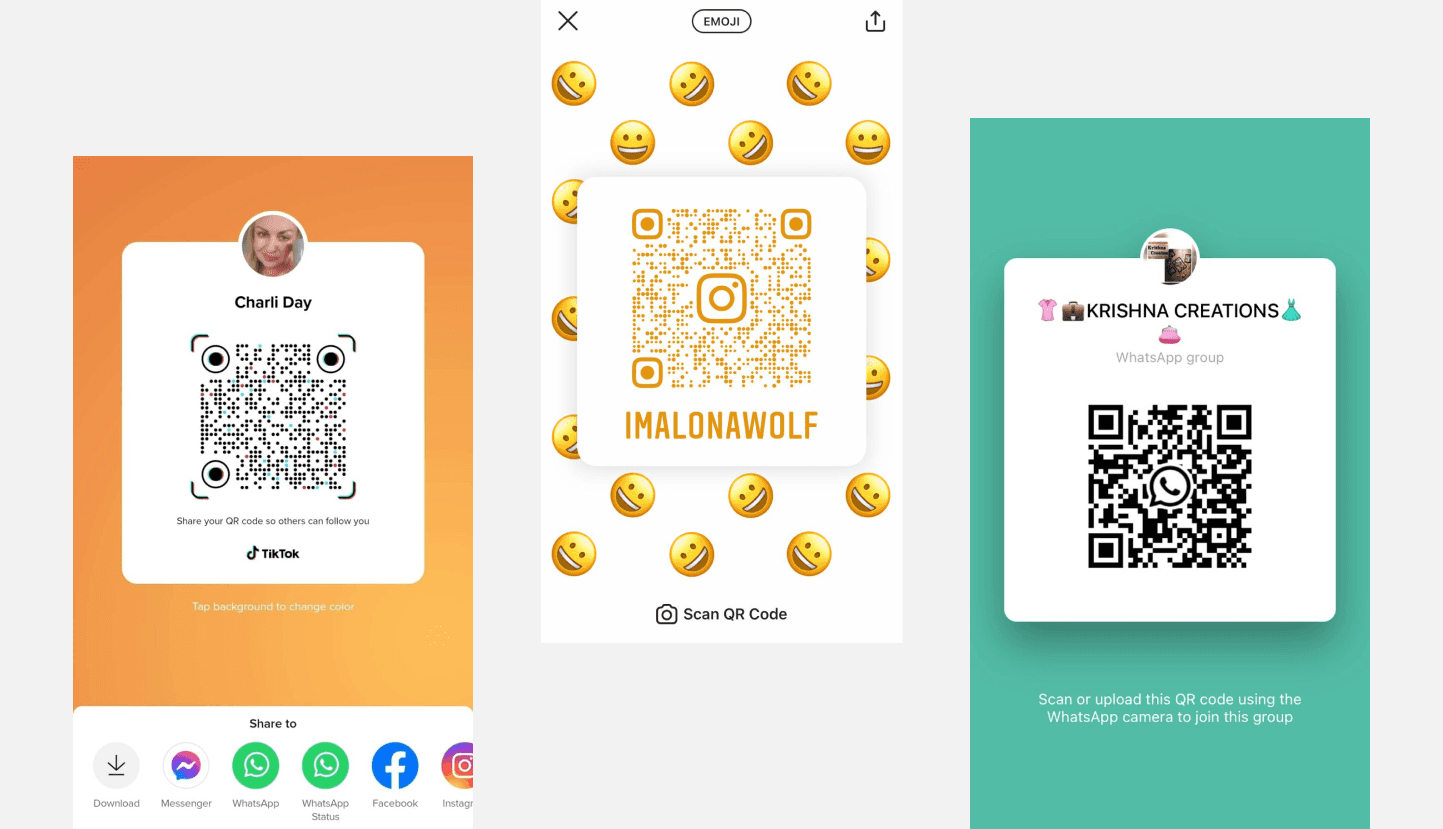
Integrating social media features into the banking service
Given that many social media services use customizable backgrounds for sharing QR codes, we believed this approach would feel natural for users.
Design question
Since LINE Bank is a social banking platform leveraging LINE Messenger, how might we integrate the interactive and fun aspects of social media?
Thai QR code standards
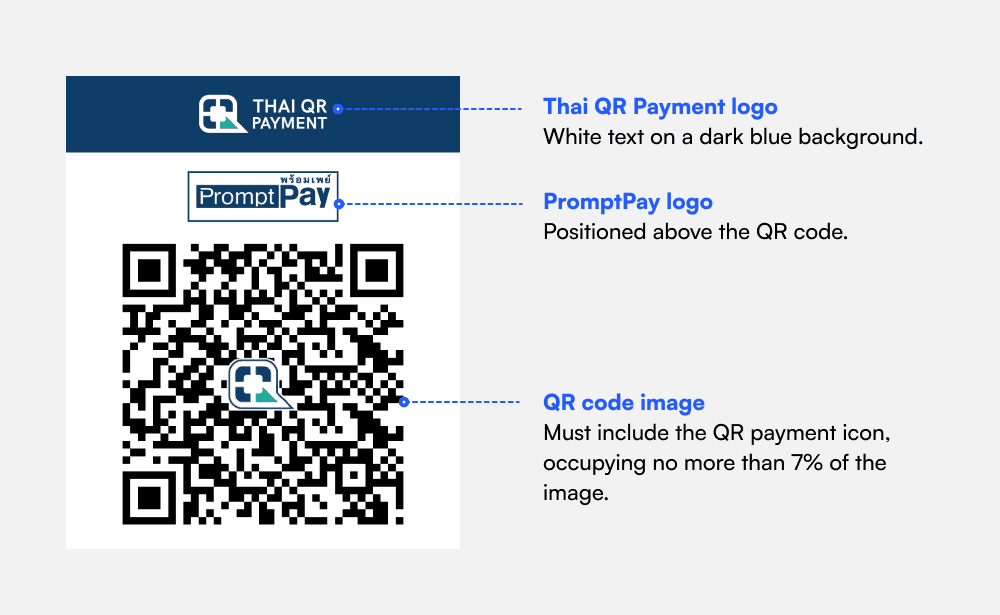
Strict business constraints on QR code formatting
The Bank of Thailand and payment providers define strict formatting rules for QR codes, limiting how much we could customize the design.
Design direction
To address these constraints, I proposed adding playful illustrations outside the QR code.
Design process
1st draft
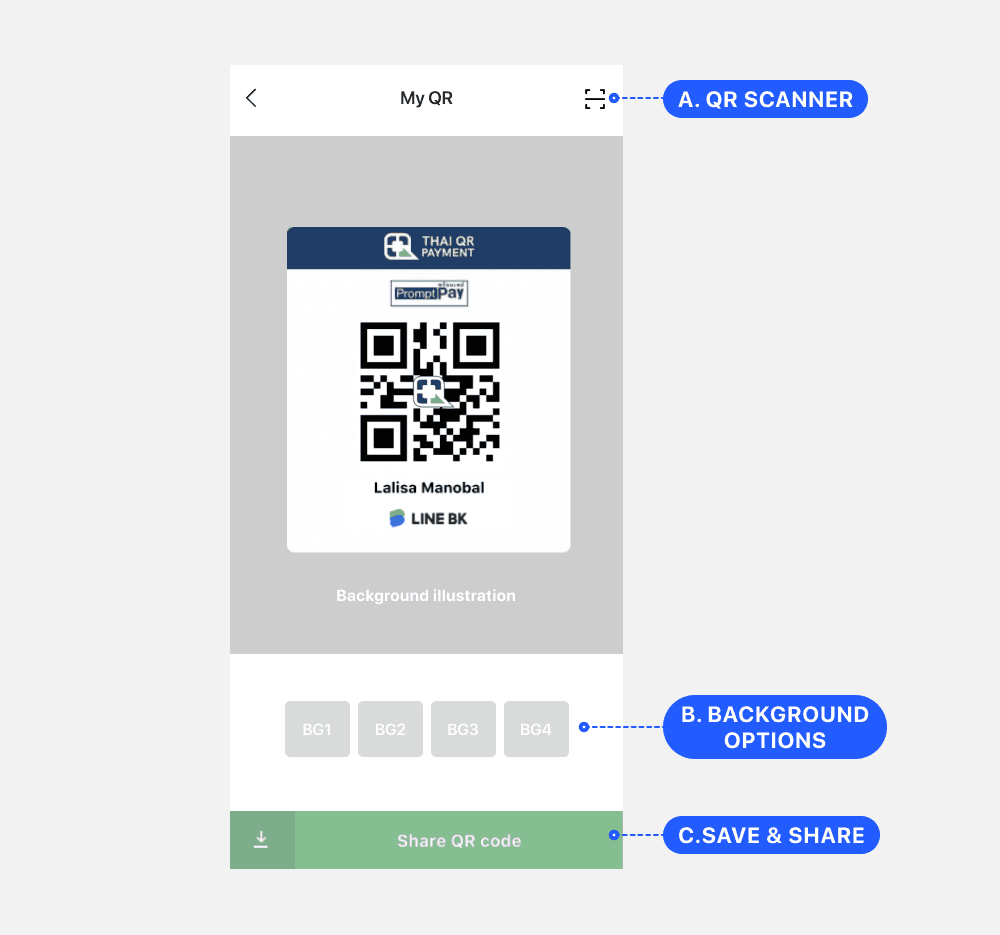
Highlighted the background option for differentiation
Initially, I designed a wireframe that emphasized the background option to help differentiate our service and make the feature easy to find and recognize.
Final design
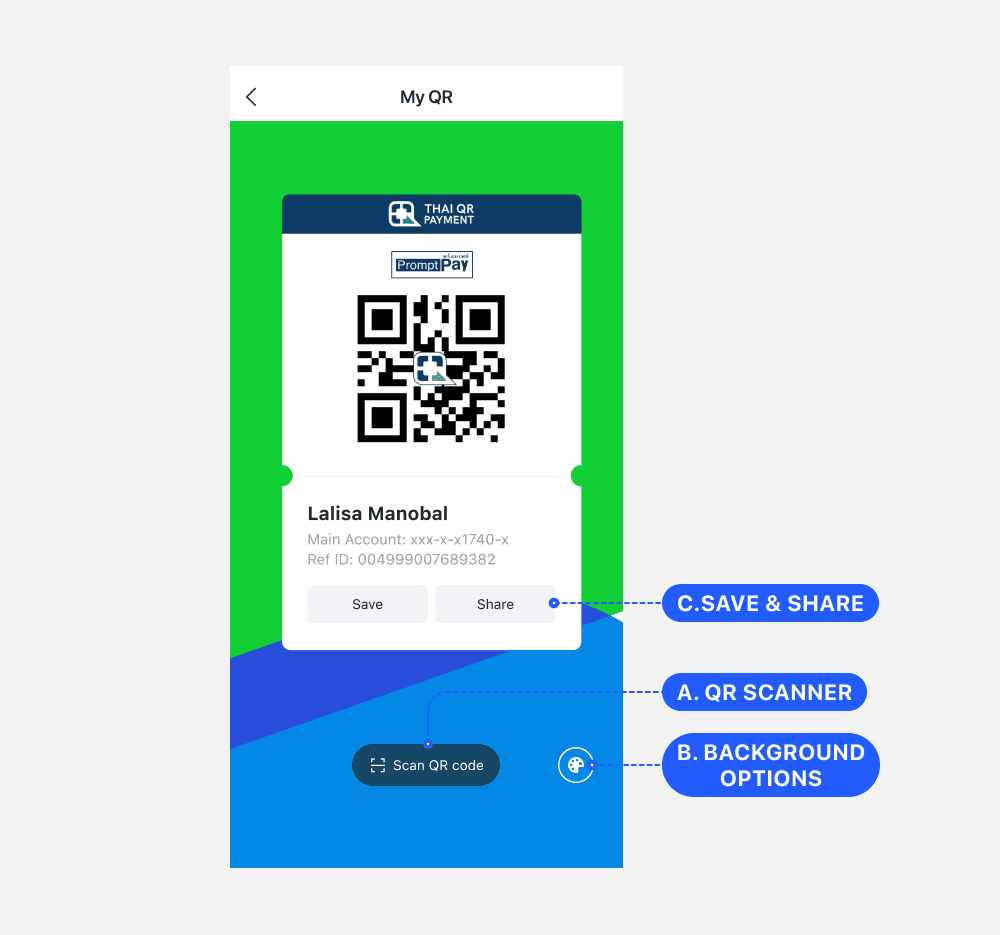
Simplified background options to prioritize core actions
Highlighting the background option too prominently felt distracting, as users didn’t change it often. I replaced it with an icon to keep the focus on key actions like Save and Share.
Solution:
Customizable QR backgrounds
I provided various background illustrations, allowing users to naturally promote LINE Bank by sharing their personalized QR codes with others.
To make background changes easy, I included a background icon, while keeping the focus on the core QR features.

Improving discoverability
Before the redesign
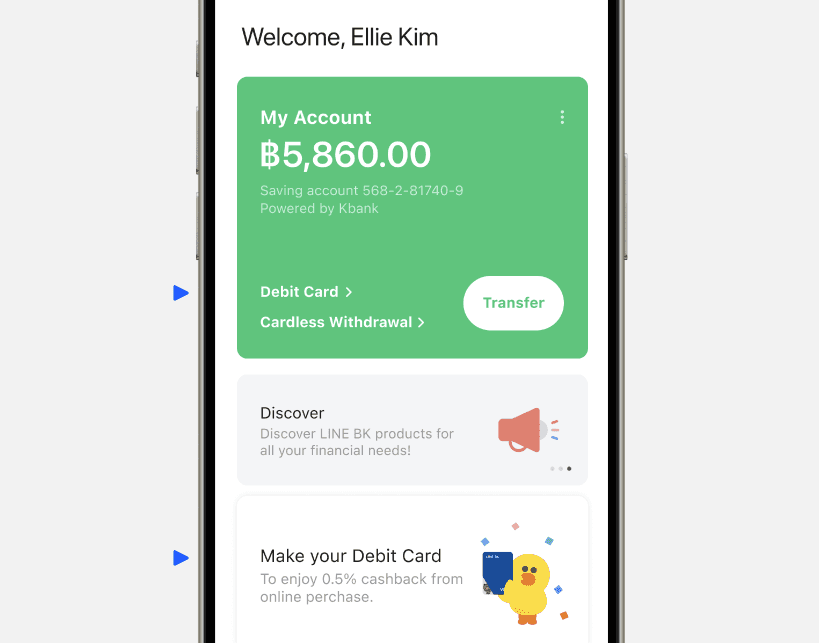
Low usage and redundant menus on the main page
1. Low usage of text menus
Menus on the main card had low usability—only the Transfer button was frequently used.
Menu usage: Transfer(58%), Cardless Withdrawal(6%), Debit Card(2%)
2. Redundant Debit Card entry points
The Debit Card menu was duplicated in both the main account area and the banner. We removed the menu and kept only the banner for clarity.
Design direction
Given the business importance of QR payments, we replaced the Debit Card menu with QR features to increase visibility.
Design process
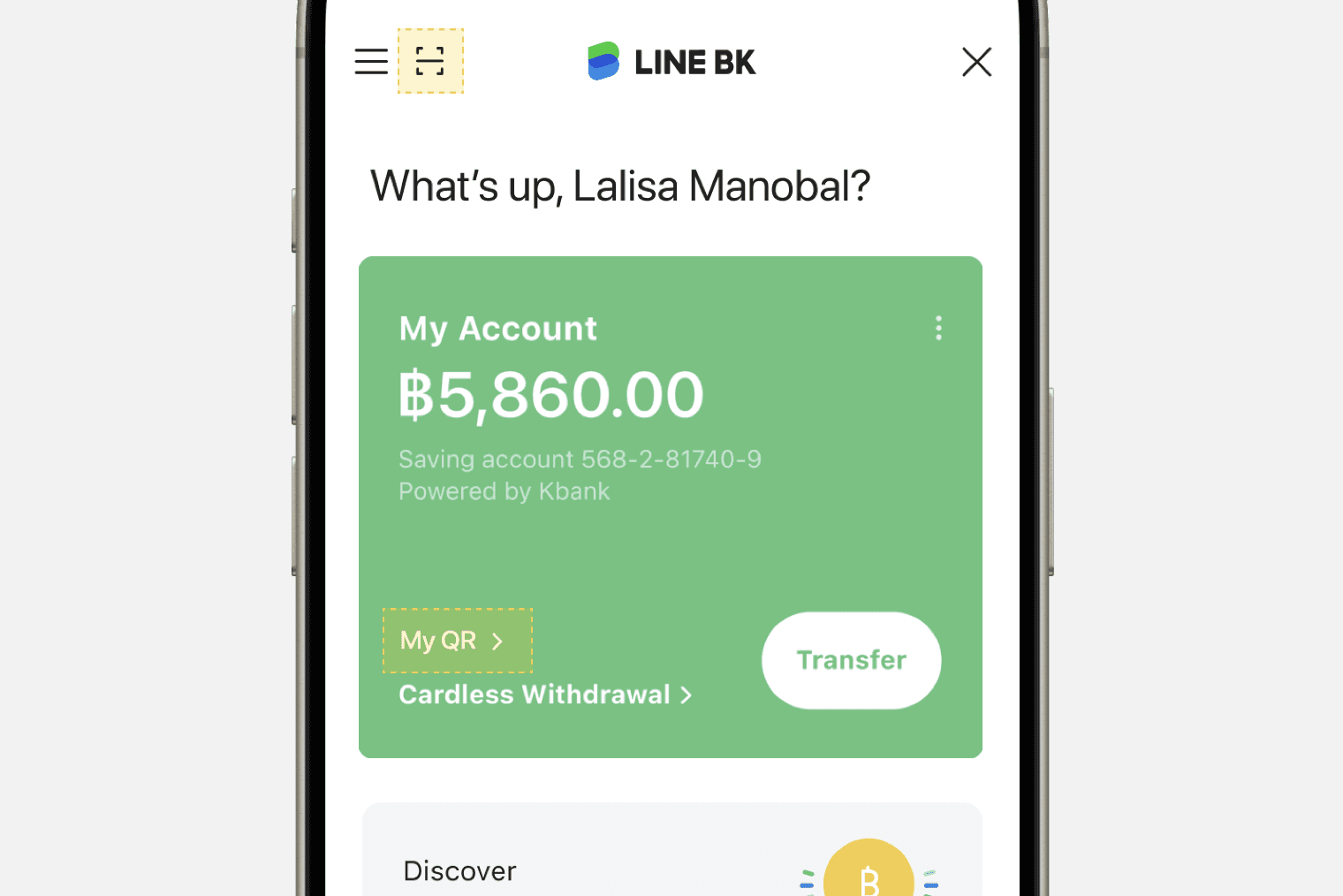
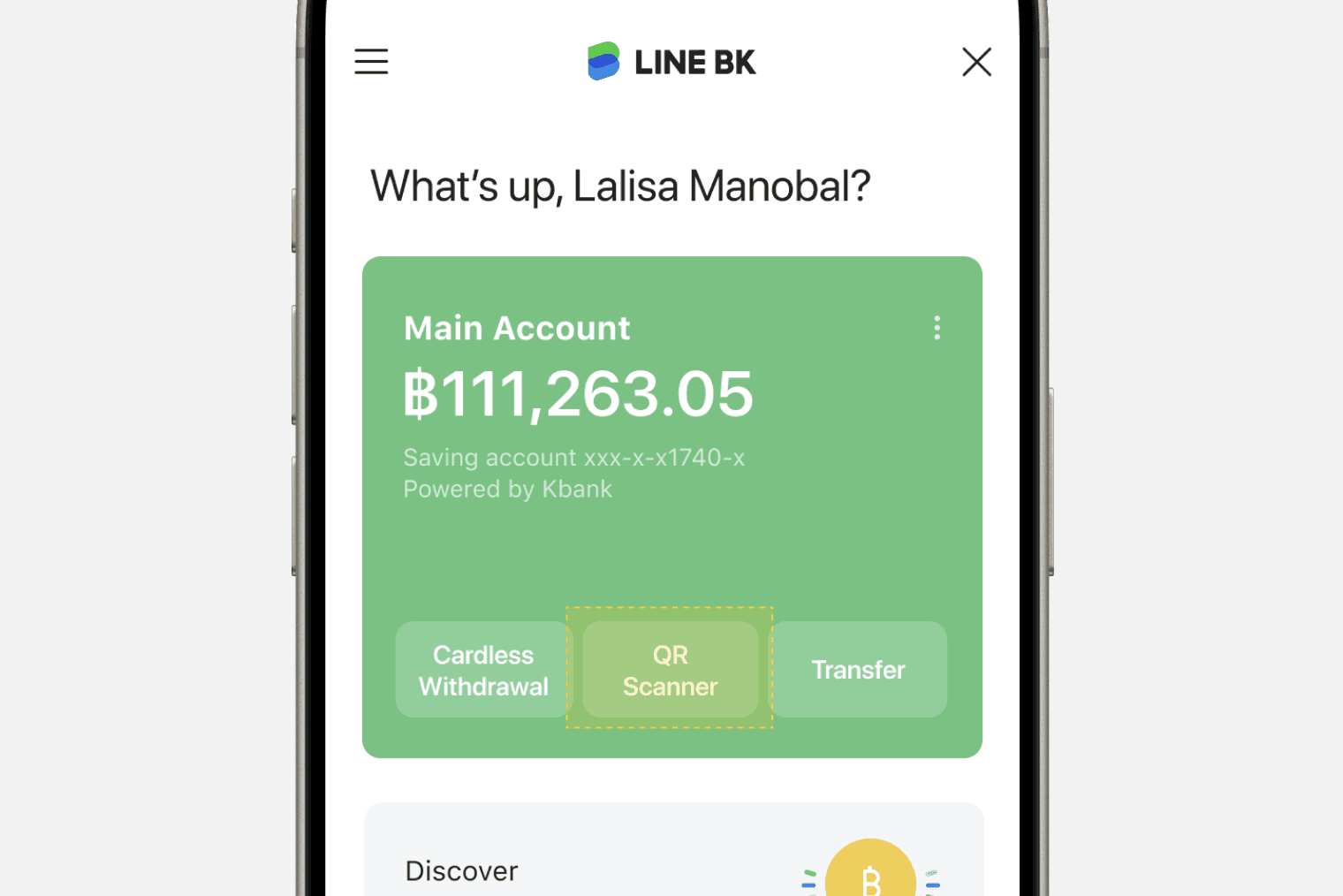
We chose Option B to boost engagement, even though it required more effort. However, finding a way to show both QR Scanner and My QR together remains a challenge.
Option A (Original format)

Easy to implement
Supports both QR Scanner and My QR feature.

QR Scanner is hard to notice next to the hamburger menu.
Option B (Button format)
Button format offers better visibility.
Placing the QR Scanner next to Transfer added functional relevance.
Can’t show both My QR and QR Scanner at the same time
Optimization
Split user flows by balance to surface the right QR actions
After analyzing user behavior based on account balance, I found that user needs change depending on how much money is in the account.
When the balance is low, users focus on adding funds
I surfaced My QR and Add Money buttons so users can easily request or top up money.
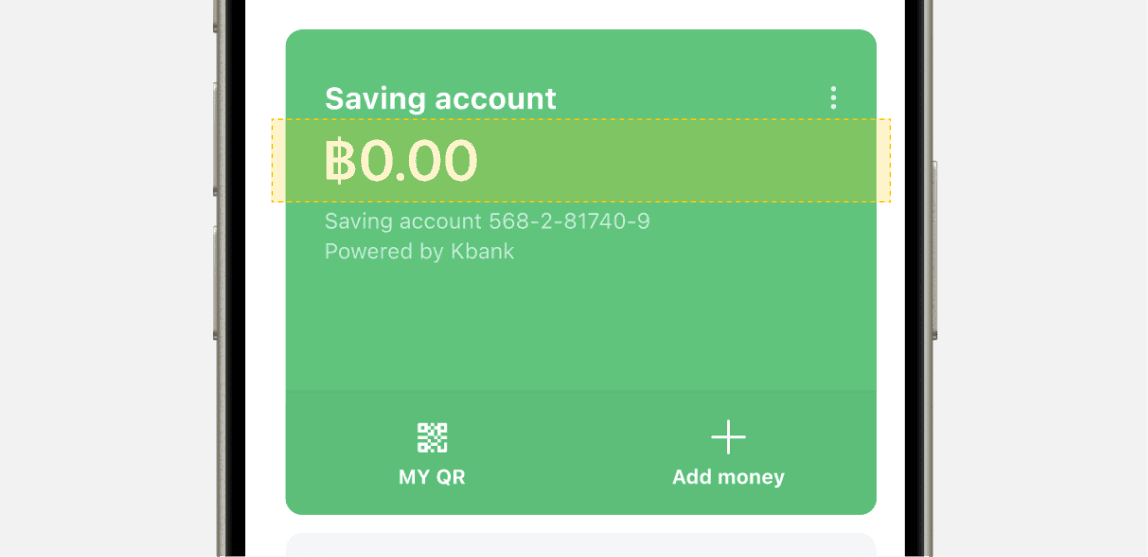
When the balance is sufficient, users move on to transferring funds
I displayed Transfer, QR Scan, and Withdrawal options to match their next likely actions.
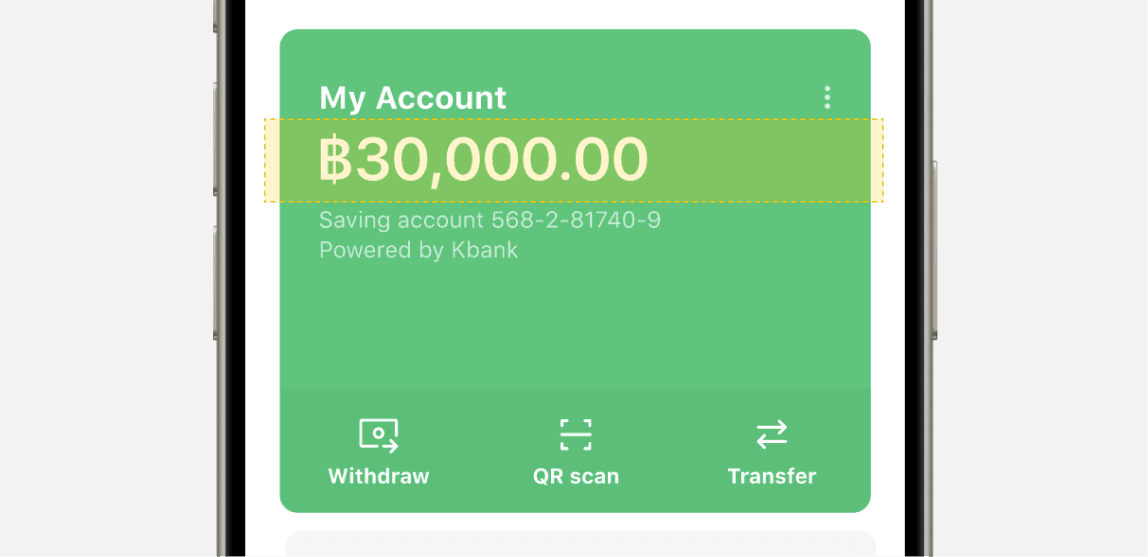
Solution:
Adaptive QR interface
When the balance is low,
only options to add funds are displayed
We highlighted My QR and Add Money using subtle animation to guide users toward adding funds

If there is a balance,
options to send money are shown
This allowed us to surface both My QR and QR Scanner within the same screen, depending on user context.

Connecting QR with existing transfer flow
Thailand’s QR Payment Types
Dynamic and static QR code
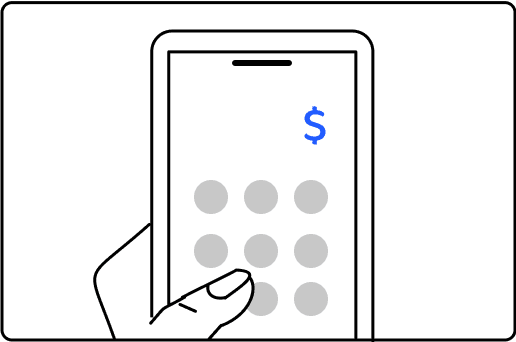
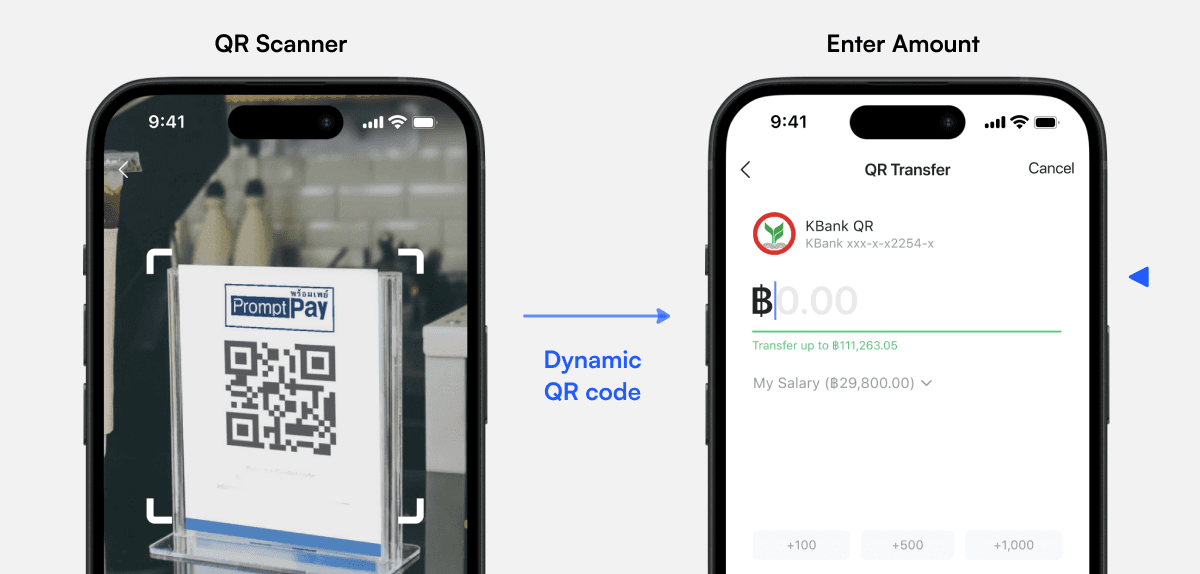
Dynamic QR code
A dynamic QR code is generated per transaction and includes bank details, allowing users to enter the amount.
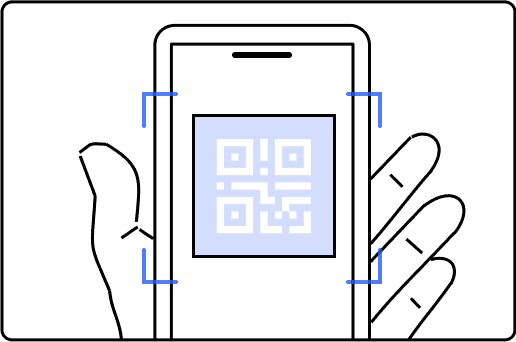
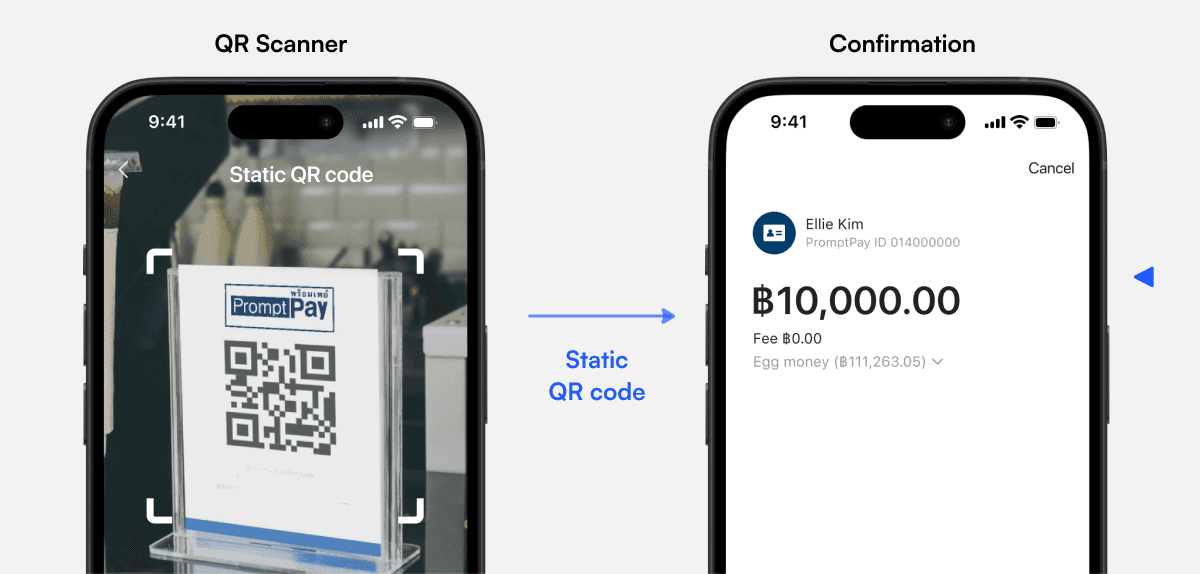
Static QR code
A static QR code has a fixed amount and is often displayed by merchants for customers to scan and pay.
Designing user flows by QR type
After scanning, users are guided to different flows based on whether the QR code is dynamic or static.
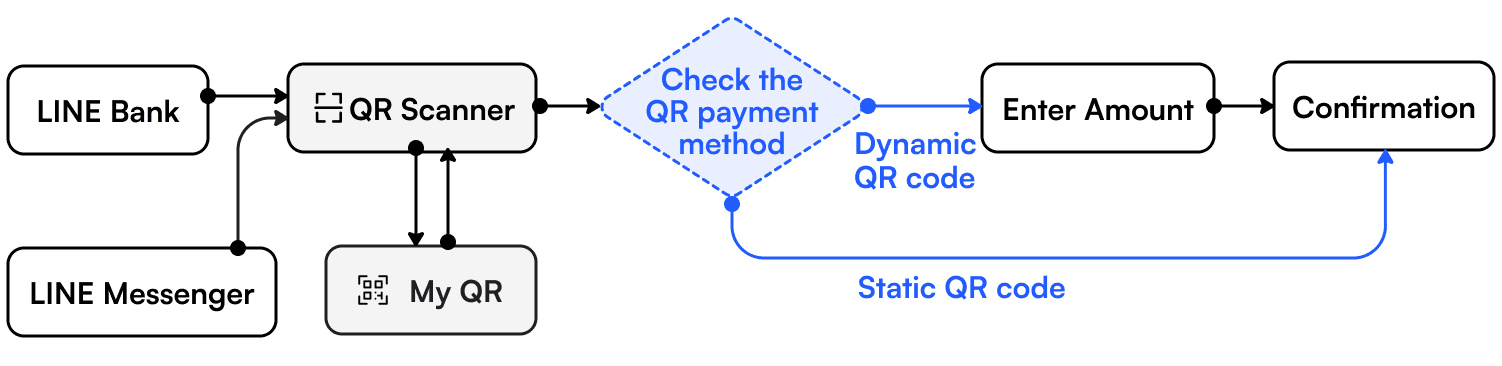
Dynamic QR code:
Directs to the Enter Amount page
For dynamic QR codes that allow users to enter their desired amount, we send them to the Enter Amount page.
Static QR code:
Directs to the Confirm Amount page
For static QR codes that contain a fixed amount, we skip the Enter Amount page and send users directly to the Confirmation page.
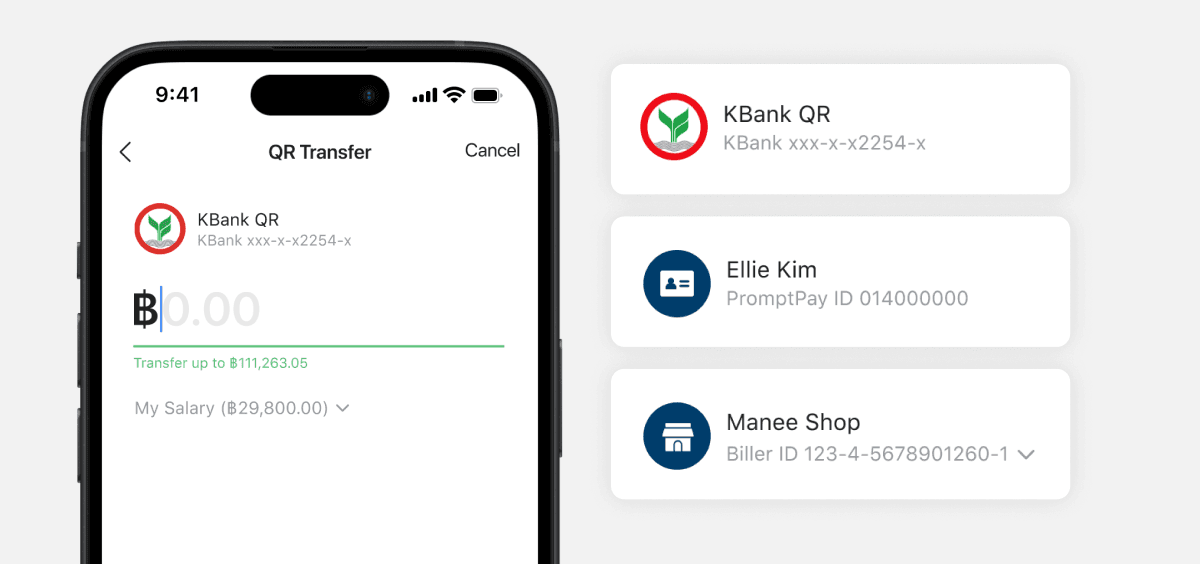
Auto-filled recipient details
I updated the recipient information shown at the top based on the tag data in each QR code.
Bank Account: Bank logo and account details
PromptPay: User icon and PromptPay ID
Merchant: Shop icon and Biller ID
Solution:
Adaptive QR interface

Takeaway
Stepping out of traditional banking UX
Designing flexibly within constraints
SOYUN MOON
⋆⁺₊⋆ ☾⋆⁺₊⋆