LINE Bank Japan Business Account
Admin page
What I did
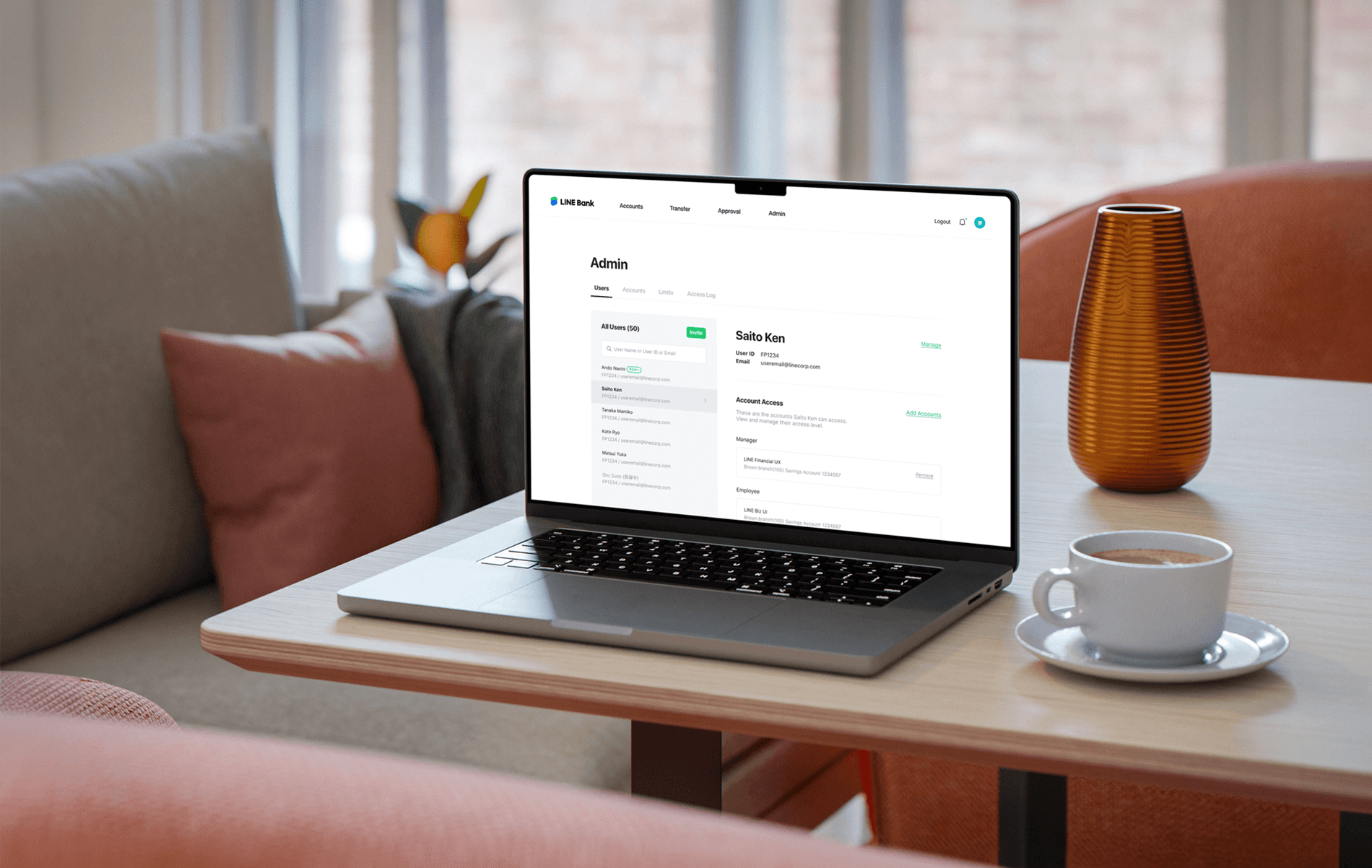
I designed LINE Bank Japan’s business account permission management system from scratch, enabling role-based access control for corporate users. I defined clear access levels, established UX principles for complex admin workflows, and partnered closely with the Japanese PM to align the system with real-world corporate needs.
My role
Product Designer
Platform
Web
Timeline
Skills
Stakeholder management
Wireframe, UX specification
User research & testing
Team
1 Project Manager
2 Product Designer
7 Engineers
Overview
Streamlining employee management for businesses
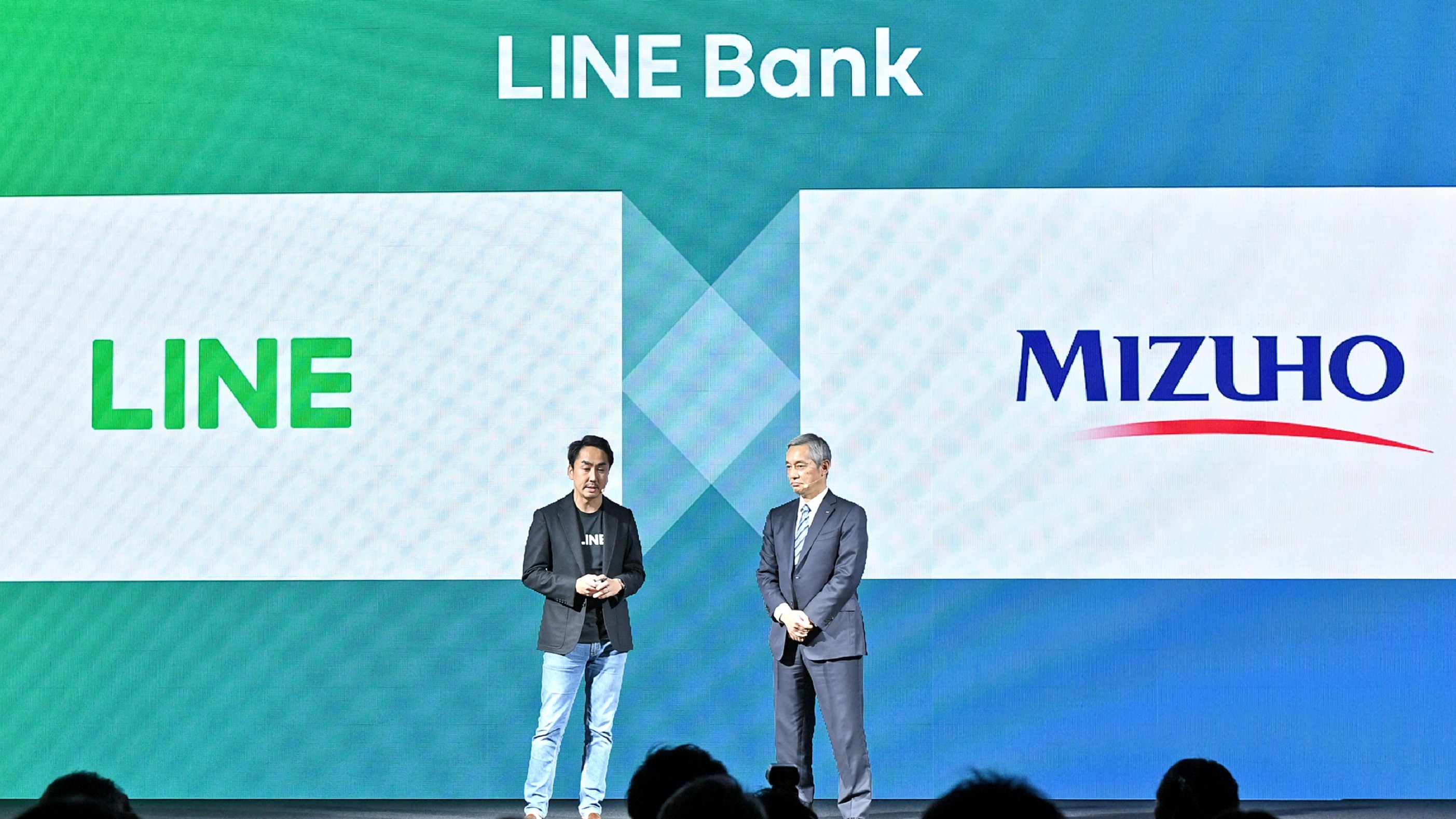
LINE is Japan’s largest social platform, used by almost the entire population. In partnership with Mizuho Bank, we worked on LINE Bank Japan to support both personal and business banking services. Our team led the design of the Business Account experience for an initial group of pre selected LINE business partners.
User research
Understanding permission levels in business accounts
We interviewed 10+ Japanese enterprises to understand how teams are structured within business accounts, how permission levels are defined, and how financial tasks are managed across roles. We found that effective workflows depend heavily on clear role-based access control.
Permission levels

MASTER
Has full access to the business account, including managing all user permissions and inviting new users.

MANAGER
Can approve transactions and manage the permissions of Managers and Employees within the same account.

EMPLOYEE
Can view assigned business accounts and submit transfer requests for approval.

EMPLOYEE(VIEW ONLY)
Can view transaction history and account statements, without permission to initiate or request transactions.
To support real-world workflows, we identified four role-based permission levels aligned with organizational responsibilities.
Challenges
Complex permission system
Business accounts often include multiple sub accounts, each with different Managers and Employees assigned. This means a single user can hold different permission levels.
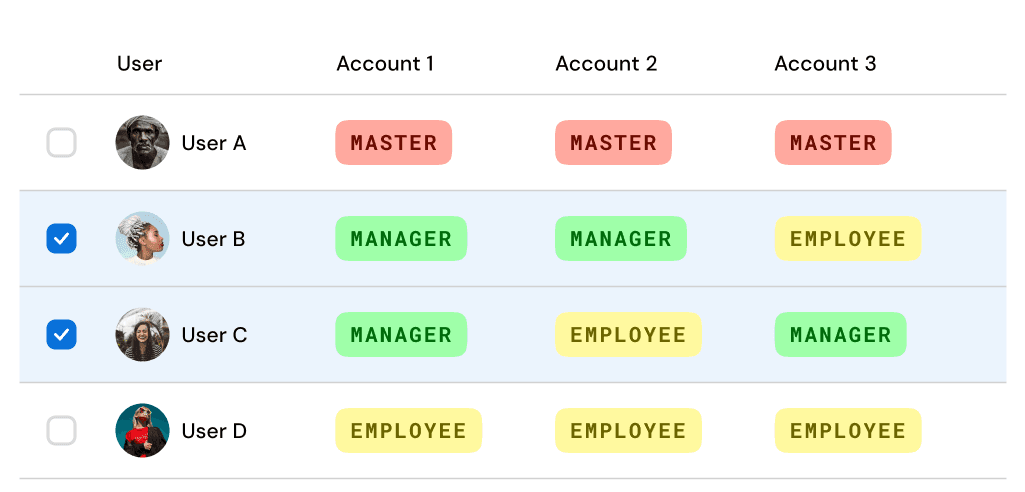
* Users B and C have Manager access for specific accounts,
but only Employee access for others.
The challenge was to help users quickly understand who has access to each account and what actions they are allowed to perform.
Target user
Limited to Master and Manager roles
Since this is an admin page designed for permission management, access to these features was intentionally limited to Masters and Managers only. Employee level users do not have access to the admin interface.
User needs
MASTER
View and manage all accounts and users
Control permissions across the entire business account
MANAGER
See only accounts they have access to
Manage users and permissions within those accounts
Design Direction
Design an admin page that gives Masters and Managers clear visibility and simple control over user access and permissions across accounts.
Main features
Customized screen views
Each user sees only the screens and tasks relevant to their permission level.
Simplified permission control
Permissions can be quickly assigned and updated across business accounts.
Easy employee invitation and management
Masters and Managers can easily invite employees and manage their information in one place.
Solution

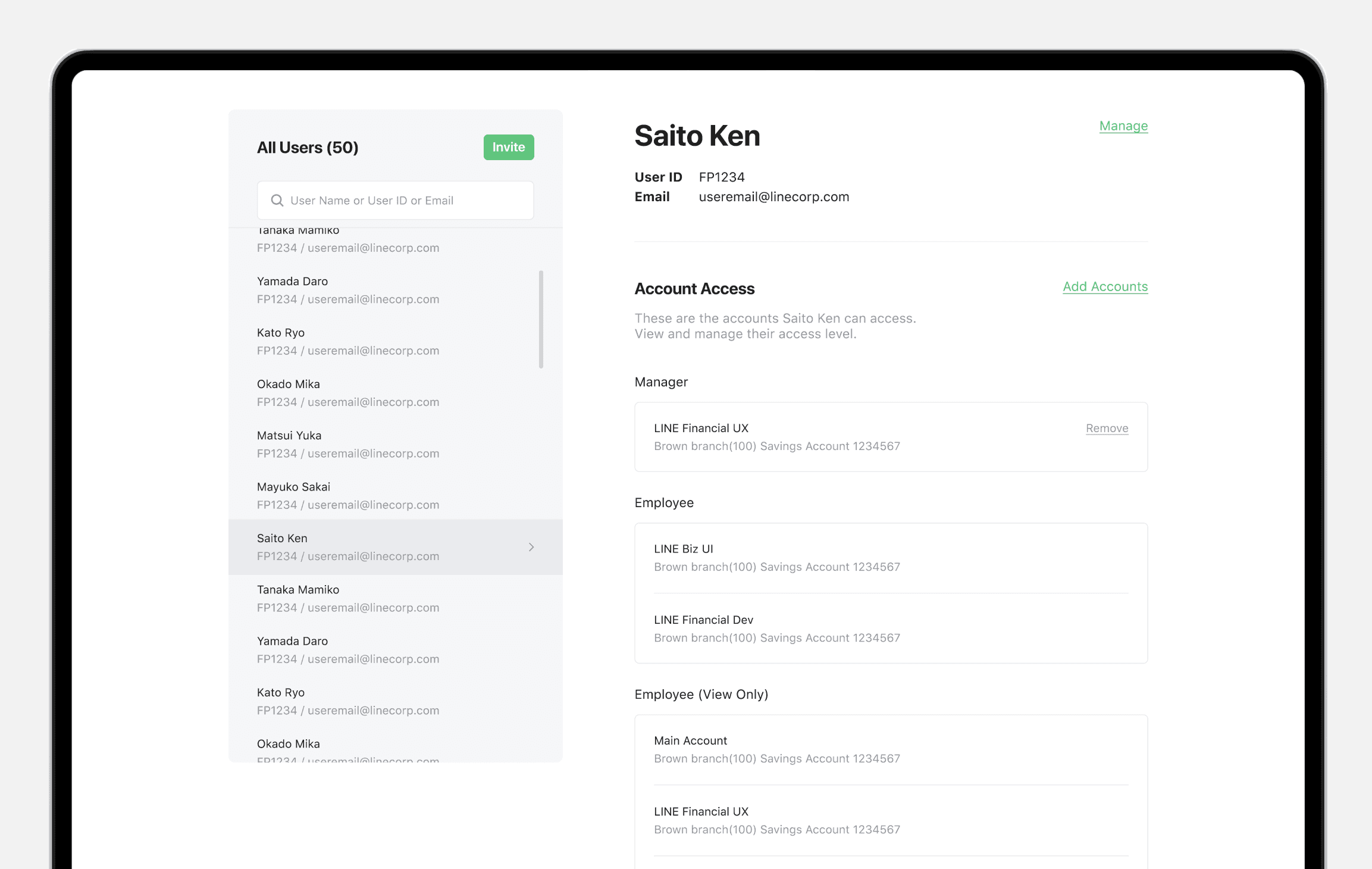
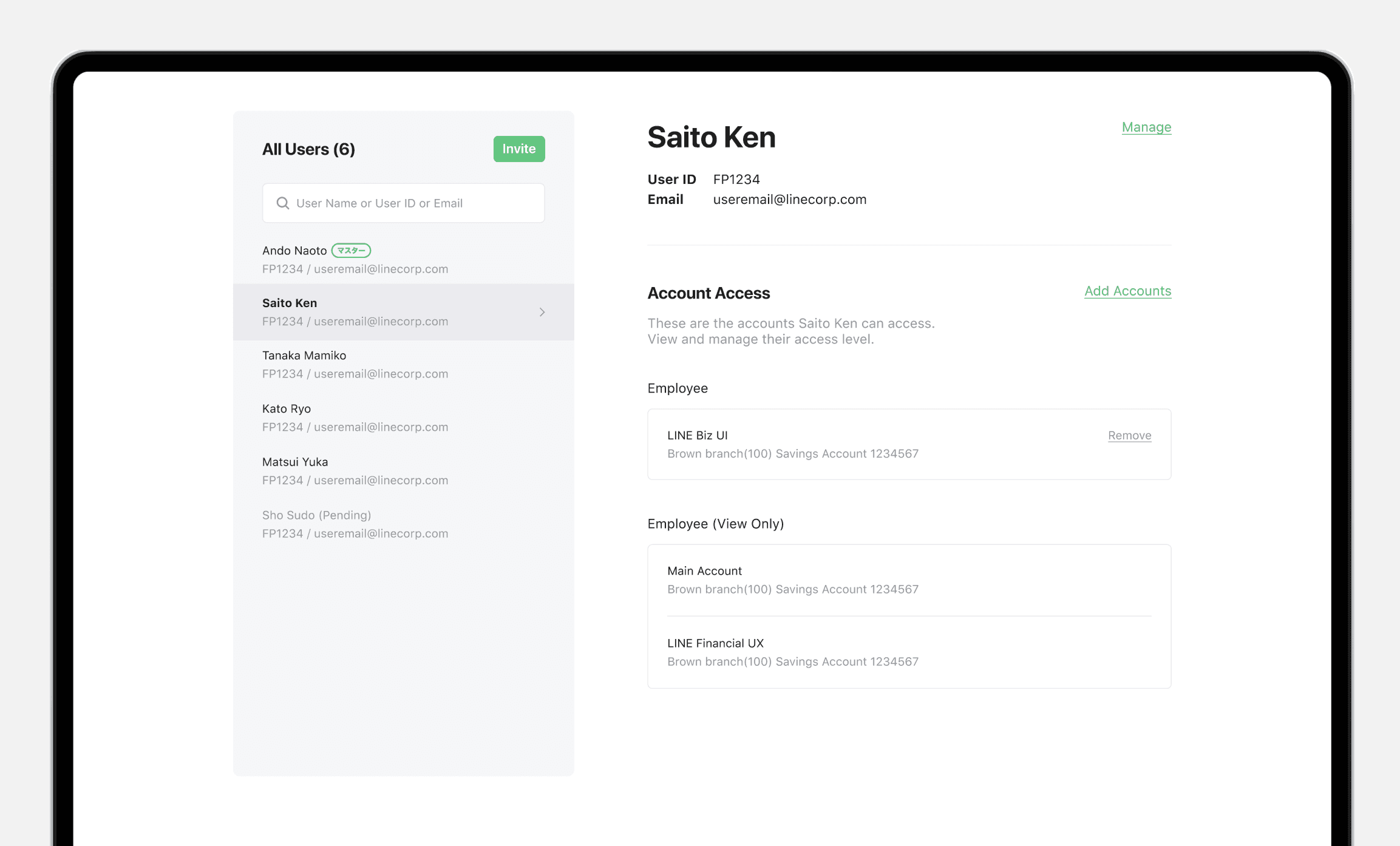
Customized views by permission level
I introduced a clear and friendly entry page that explains the loan in simple terms, helping small merchants quickly understand what the product is and whether it’s right for them.
Easy permission control
Managing permissions can quickly become confusing, so I designed a streamlined permission control layer that allow users to grant access more easily.

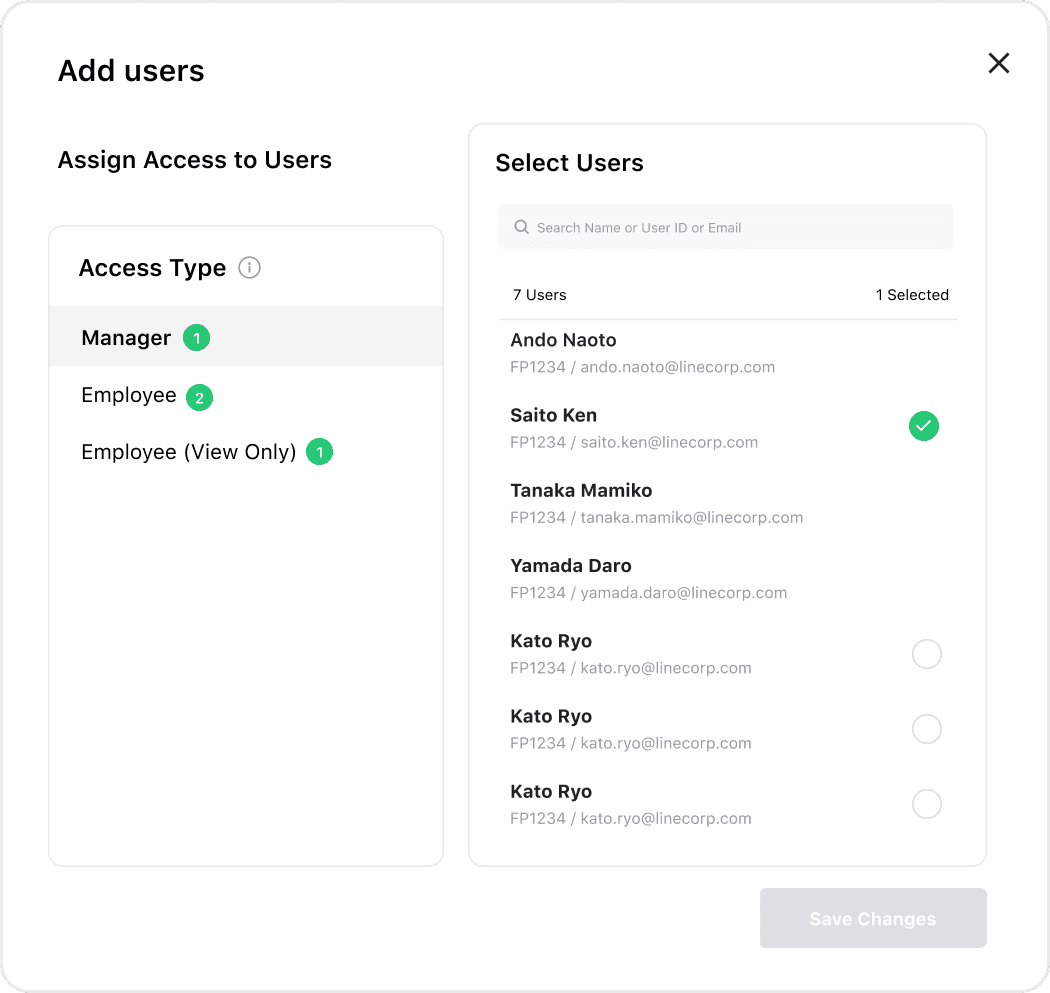
Initial design (2-step flow)
I initially designed a two-step permission flow where users selected an access level and applied it to accounts or users, but finding the right targets required excessive scrolling, making the experience heavier than expected.
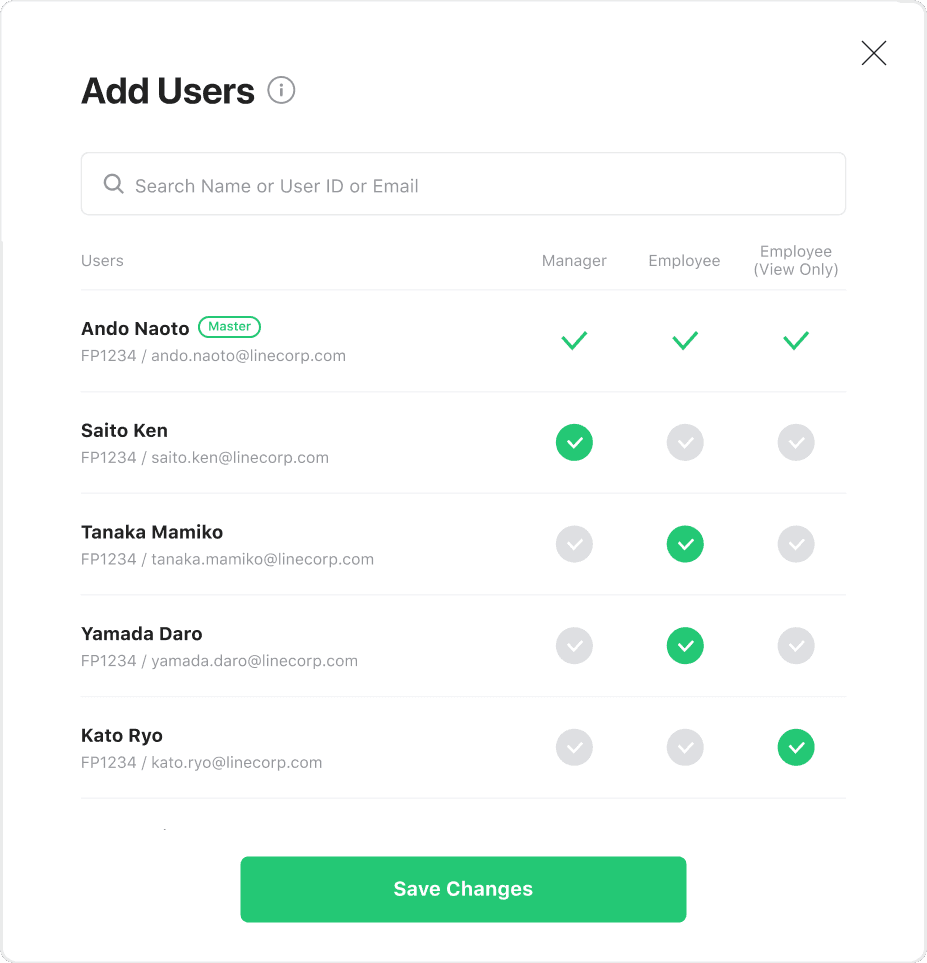
Final design (1-step flow)
To reduce cognitive load, I redesigned the experience into a single-step flow, allowing users to assign access directly within the account or user context, making permission management faster and more intuitive.
Easy permission control
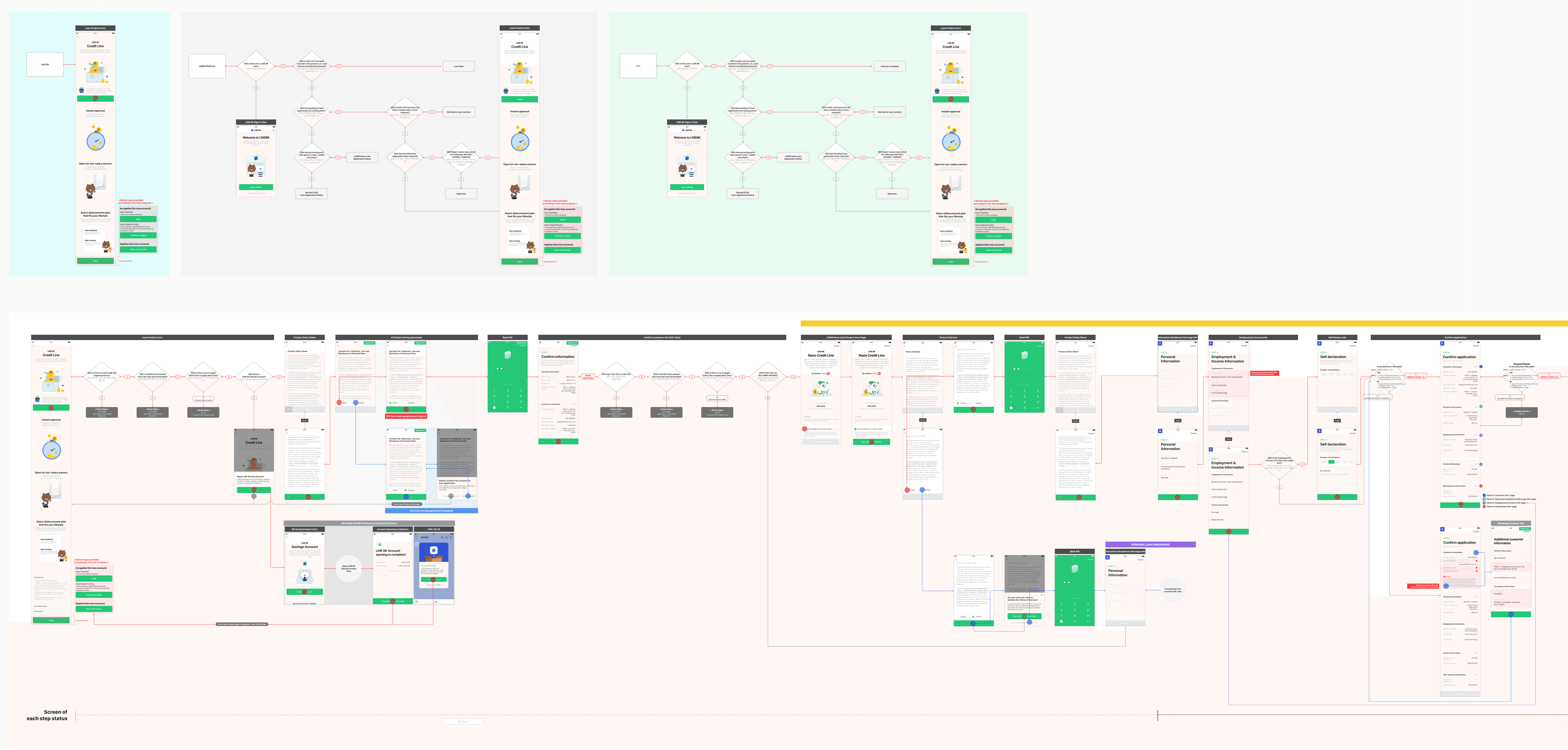
Building on these changes, I redesigned the end-to-end loan application flow and worked closely with cross-functional teams to ensure seamless execution.
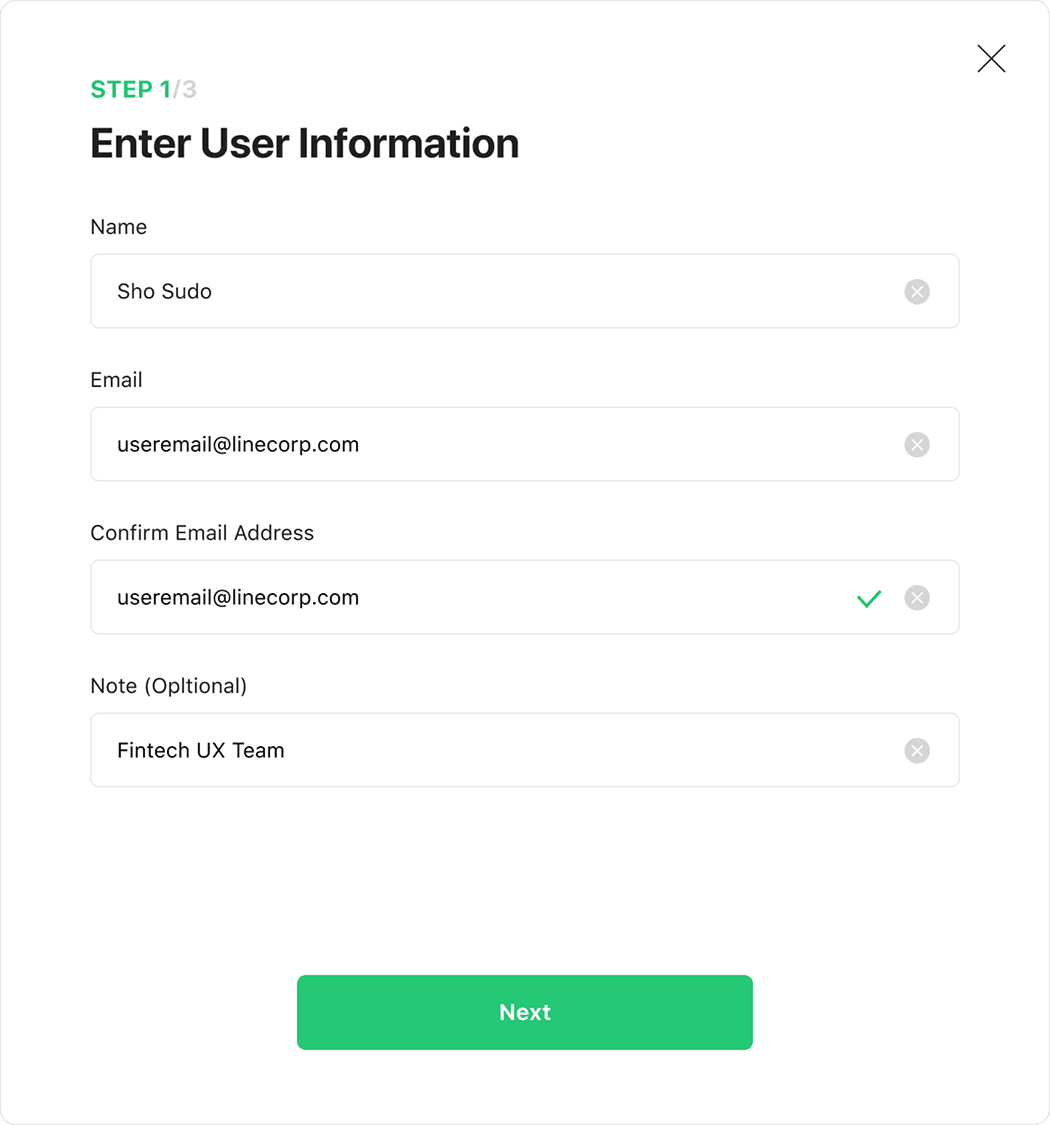
User invitation flow
To improve repayment rates for small merchants facing cash flow issues, the loan was offered only to verified users on LINE MAN Wongnai. Unlike other LINE Bank loan products, monthly repayments were automatically deducted through the LINE MAN Wongnai platform.

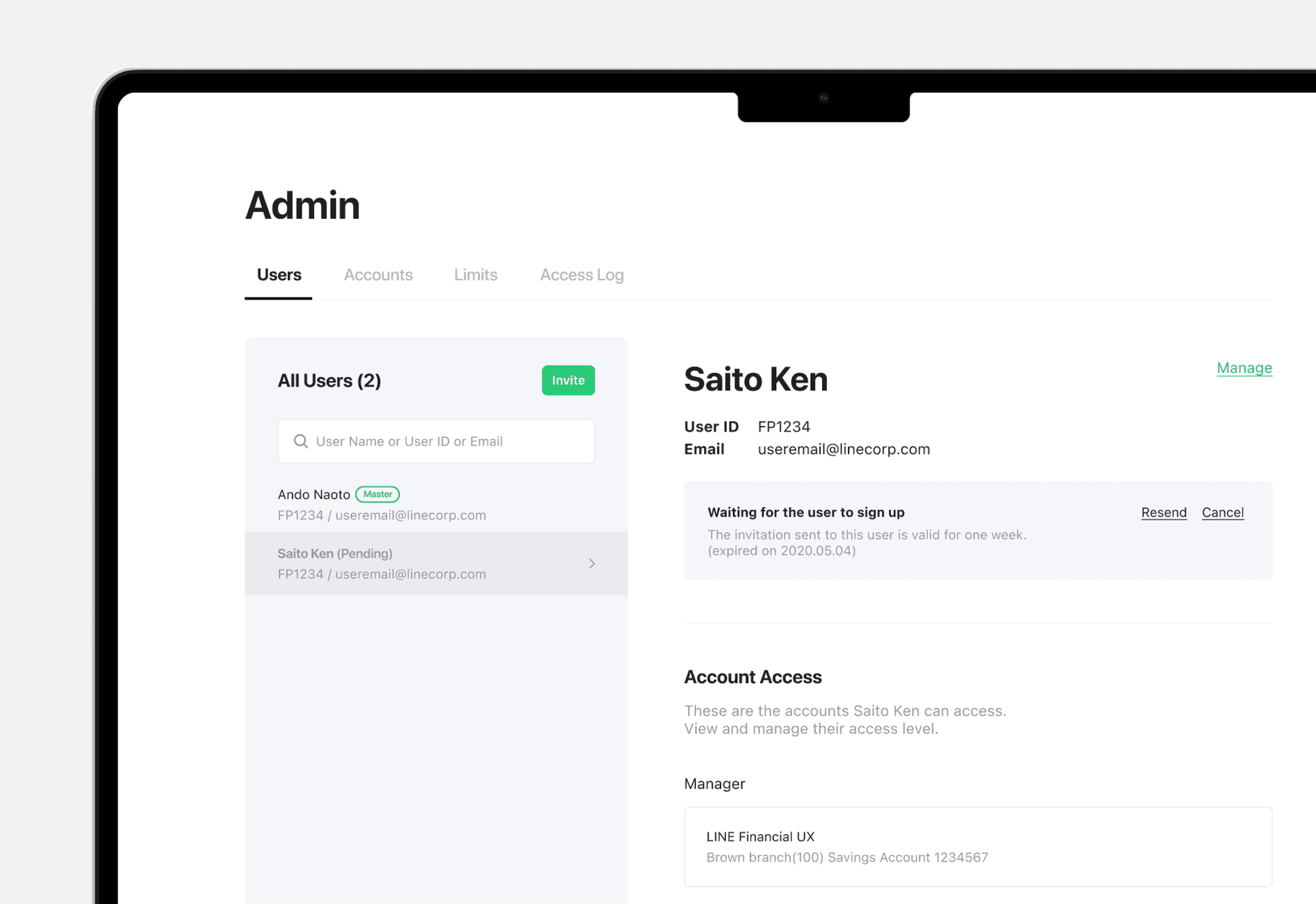
Pending user
Users remain in a pending state until they accept an invitation. I made this status clearly visible in the user list and added options to resend or cancel invitations.
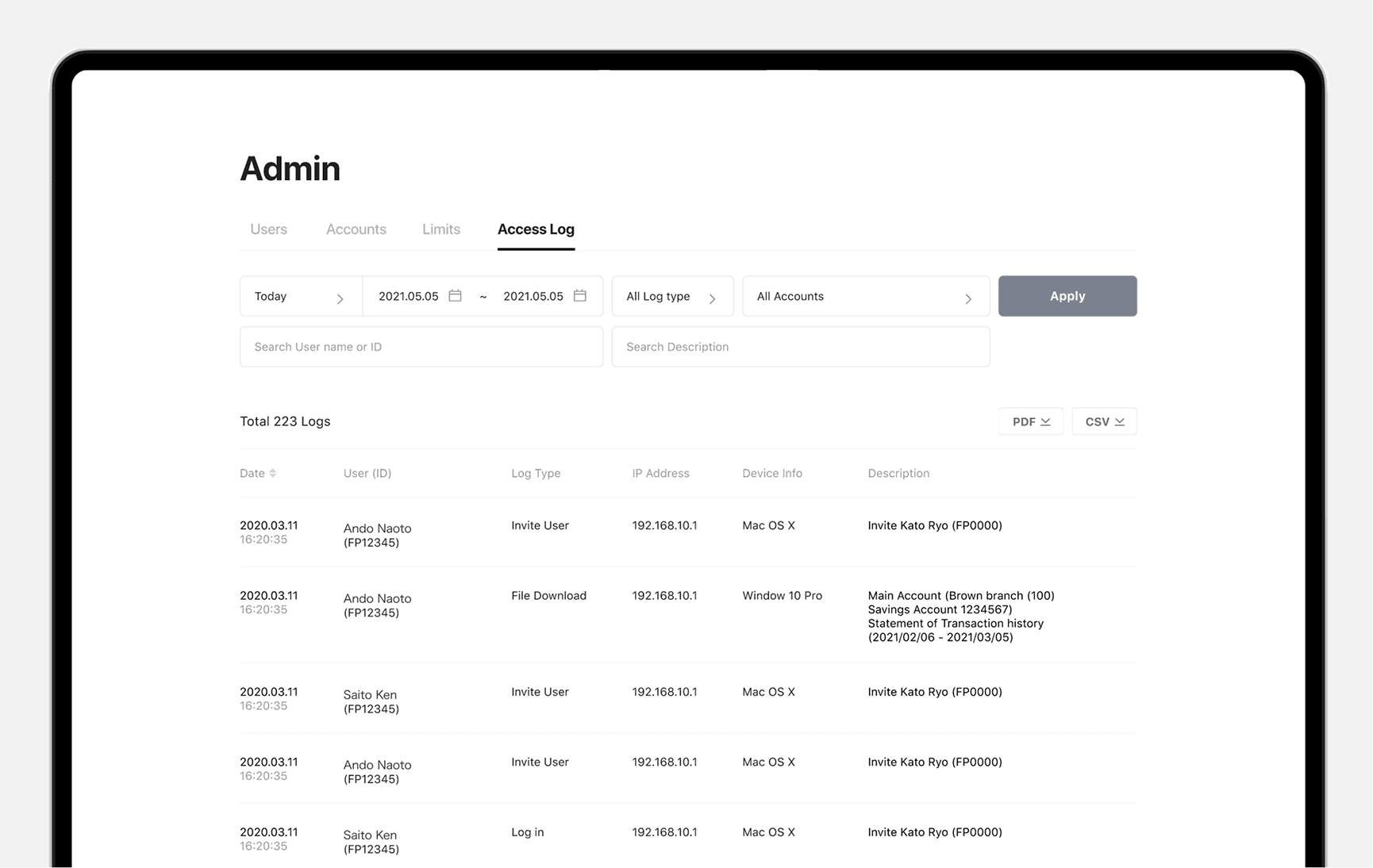
Access log
I designed an access log dashboard that lets Masters and Managers track user activity and filter logs by date, account, or user. Masters and Managers track user activity and filter logs by date, account, or user.
Takeaway
Working on this project reinforced that my role as a designer isn’t to simplify the system itself, but to make its complexity feel manageable to users.
As permission models become more complex, I found that the goal of UX isn’t to remove that complexity, but to surface it only when it matters. By avoiding upfront exposure of every rule and edge case, and instead making permissions clear in context, users could more easily understand what they can do and why—helping them feel confident managing access over time.
SOYUN MOON
⋆⁺₊⋆ ☾⋆⁺₊⋆