LINE Bank Thailand
Overview
Page to Screen recommends films based on a book you love. Instead of matching by genre or ratings, it asks three questions about your reading experience, and uses that emotional fingerprint to surface films that feel the same way.
My role
Product Designer / Engineer
Timeline
Tools
Figma, Claude, Cursor, Flask, TMDB API
Concept
Most recommendation systems speak in genres and ratings. But people don't connect with stories that way. They connect with how a story made them feel. As a book lover, I often wished I could find a film with the same emotional texture. Page to Screen started from that idea.
Core design challenge
How can I turn the feelings a book gives me into a film recommendation that feels like it truly understands me?
Shaping the Right Questions
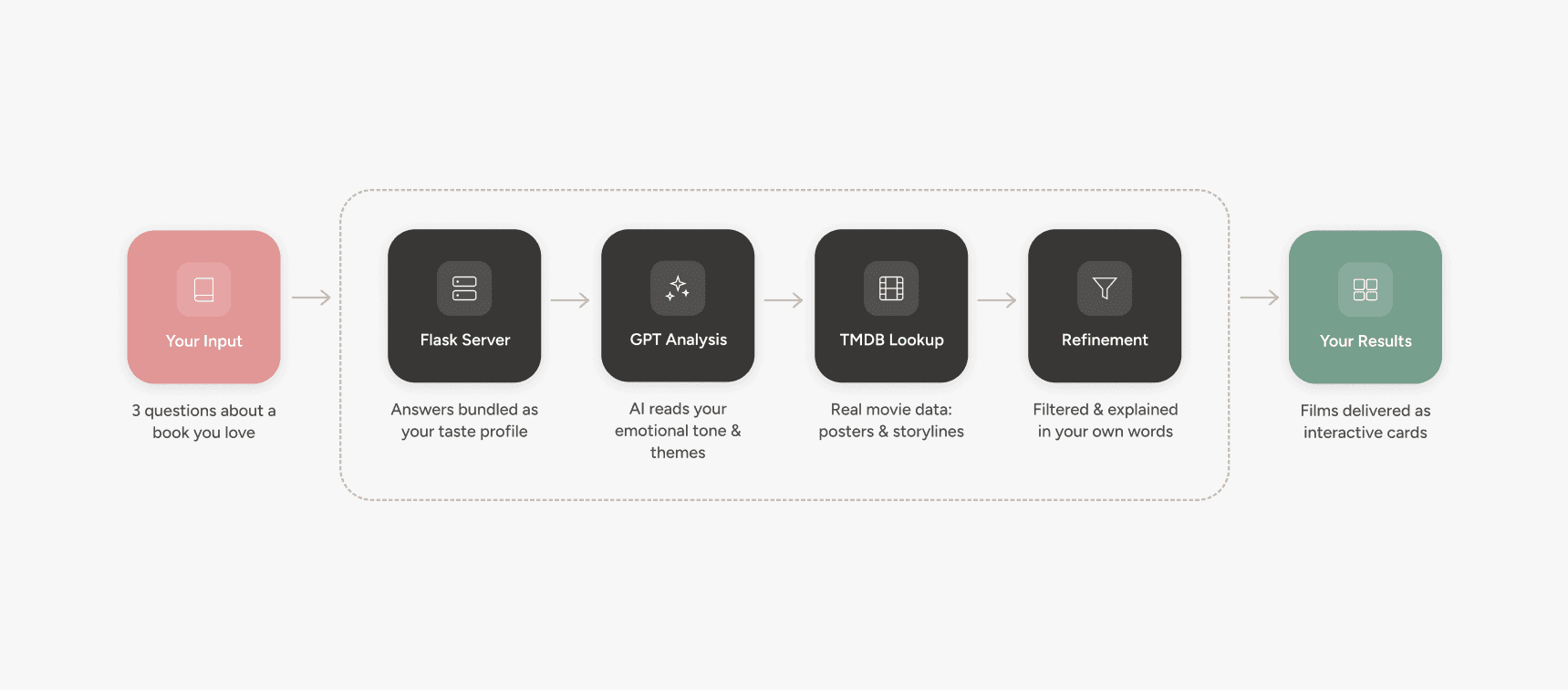
A user answers three questions about a book they love. An LLM interprets those answers, not categorically but contextually, to generate emotionally aligned film recommendations. TMDB API then enriches the results with real movie metadata, turning abstract AI output into a polished, browsable experience.
Targeted questions
What book do you love?
Anchors the input and provides a reference point, not the final goal.
Why did it resonate with you?
Reveals the themes and ideas that made the story meaningful.
How did it make you feel?
Captures the mood and emotions that linger, guiding meaningful recommendations.
Design Exploration
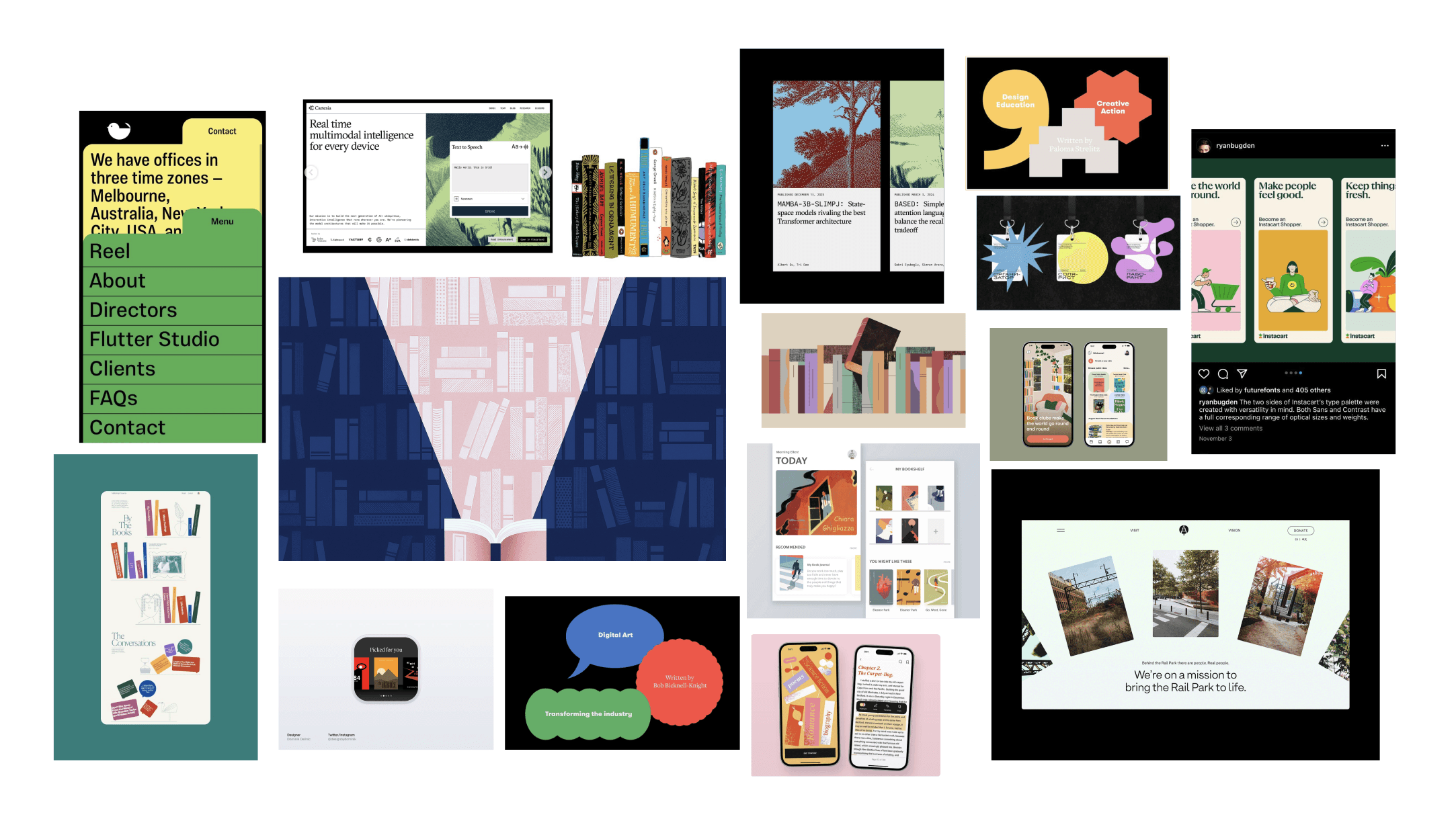
Create moodboard
I started with moodboards to define the feeling of the experience: warm and narrative-driven, cinematic enough to evoke film but with the quieter texture of a book recommendation from a friend.
Sketch the experience
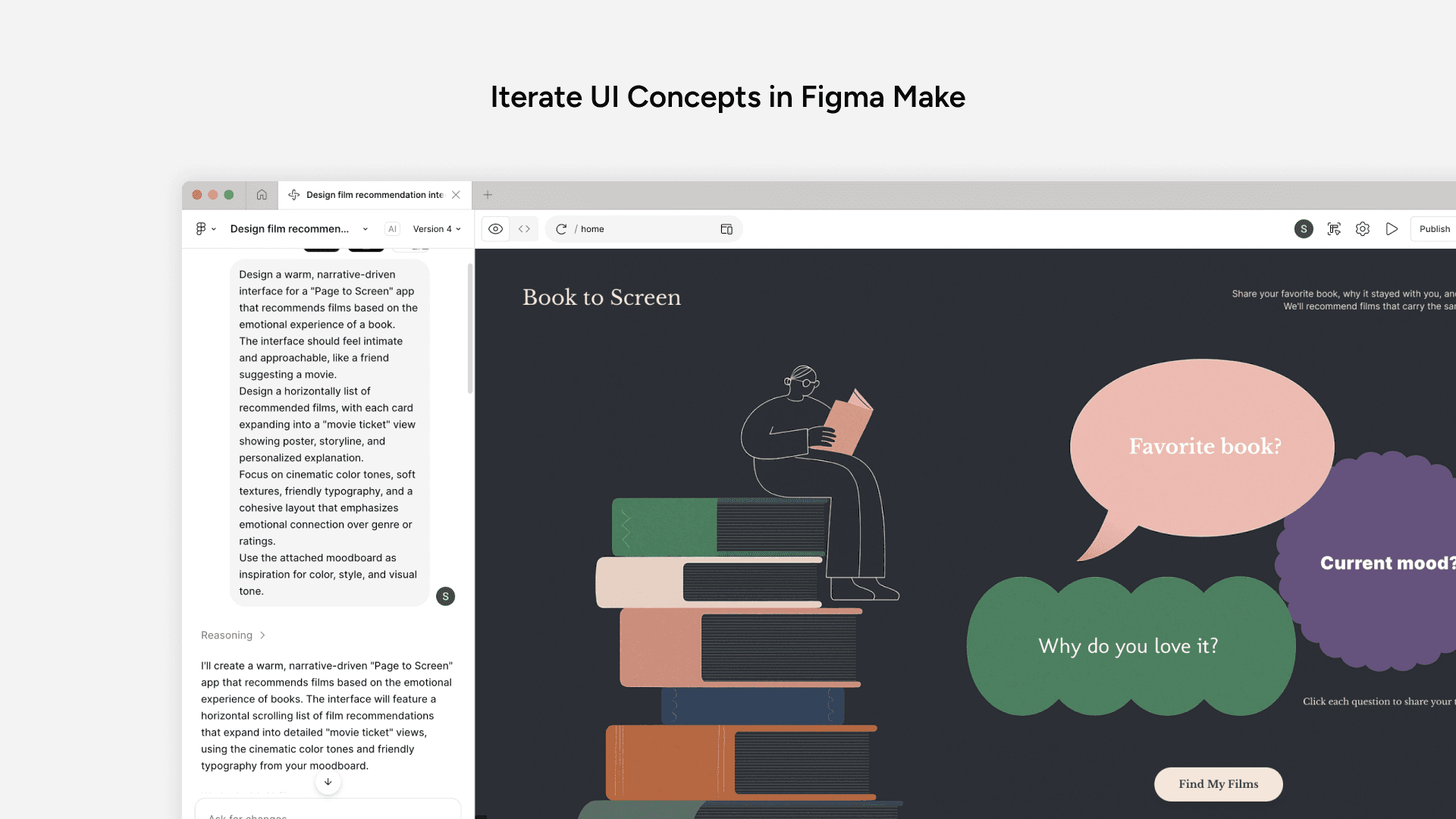
I shared moodboards and feature concepts directly with Figma Make to explore a range of visual directions. The central challenge was making three input fields feel like a conversation, not a form. I iterated through multiple directions before landing on a flow that felt intimate and low-friction.
System Architecture
I used ChatGPT to define the system’s data flow between Flask, GPT, and TMDB, creating a clear blueprint for implementation.
AI Prototyping & Implementation
Generate PRD to structure vibe coding
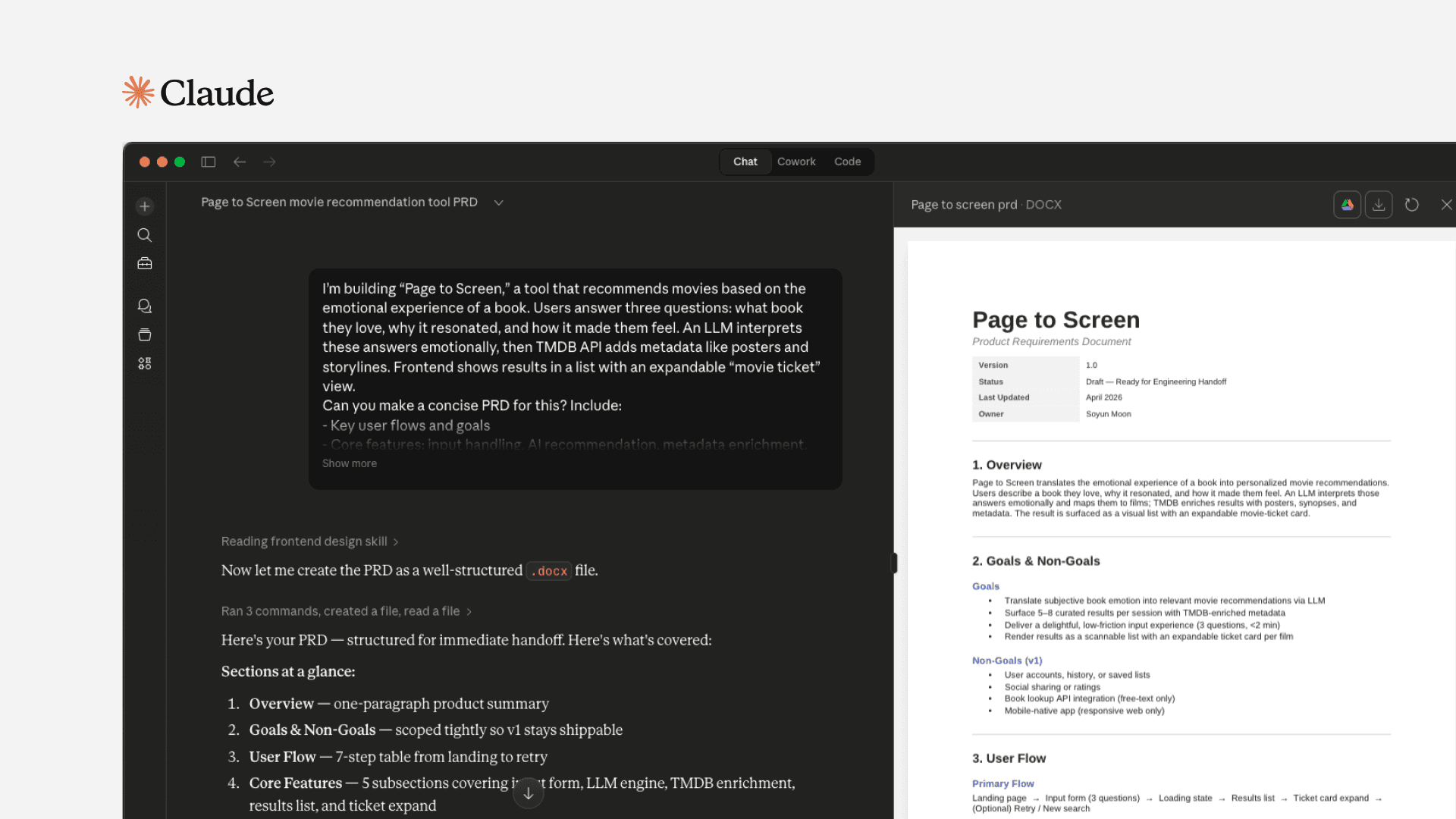
I drafted a PRD with Claude first to guide Cursor and keep the code aligned with the intended design.
Scope and edge cases first
I prompted Claude to draft the core user flow, constraints, and edge cases: what happens when TMDB returns no match, how to handle vague inputs. This became the guardrail for every Cursor session.
Implementation notes as context
The PRD included Flask architecture, API call order, and response structure, giving Cursor enough context to stay consistent even as prompts evolved.
Treat it as a living document
I updated the PRD as requirements shifted, making it easy to catch when generated code was drifting from the original intent
Design to code using Figma MCP and Cursor
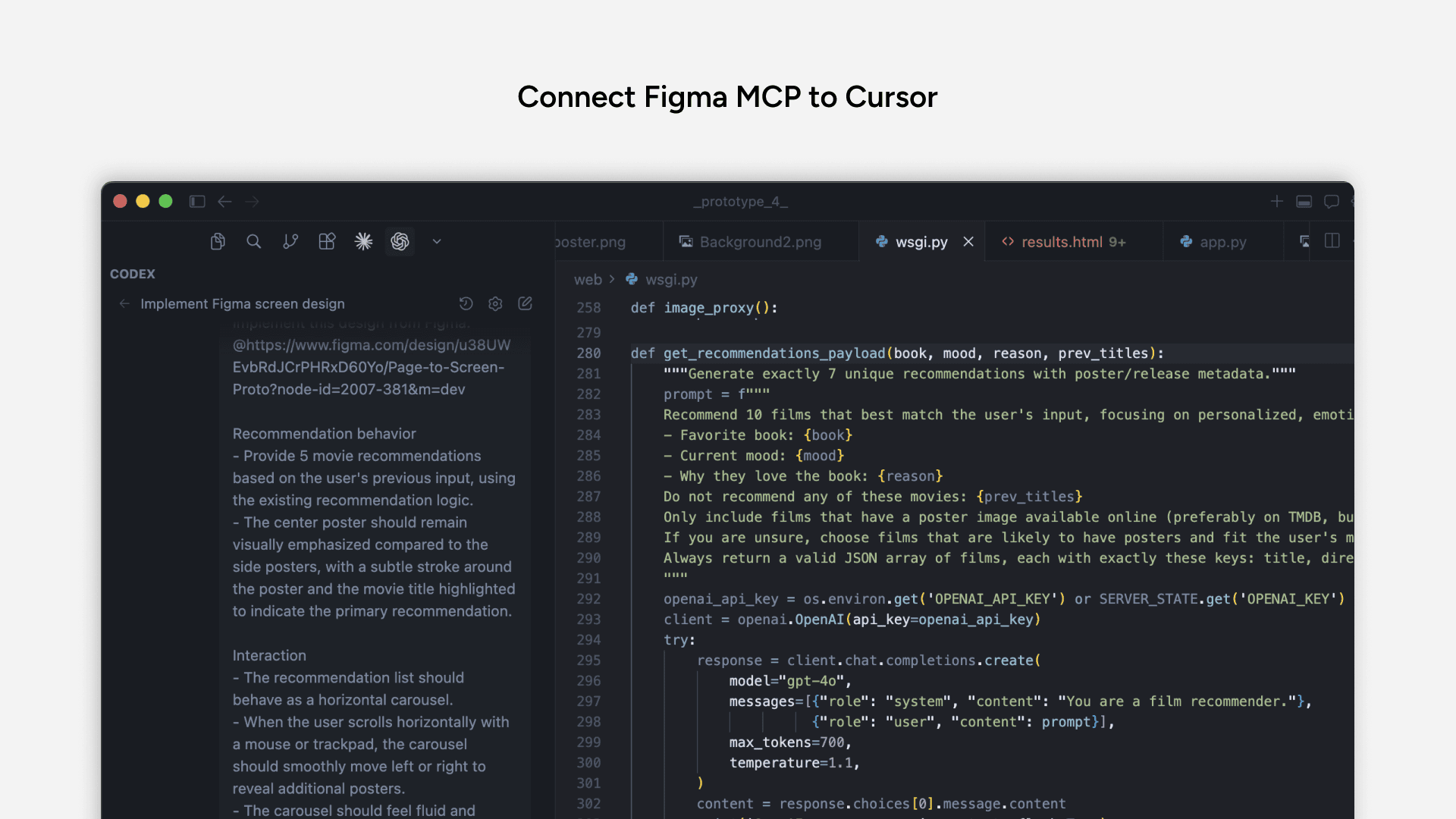
I used Cursor with Figma MCP integration to translate design layouts into working UI components, reducing the gap between design intent and implementation so I could stay focused on refining interactions.
Usability testing
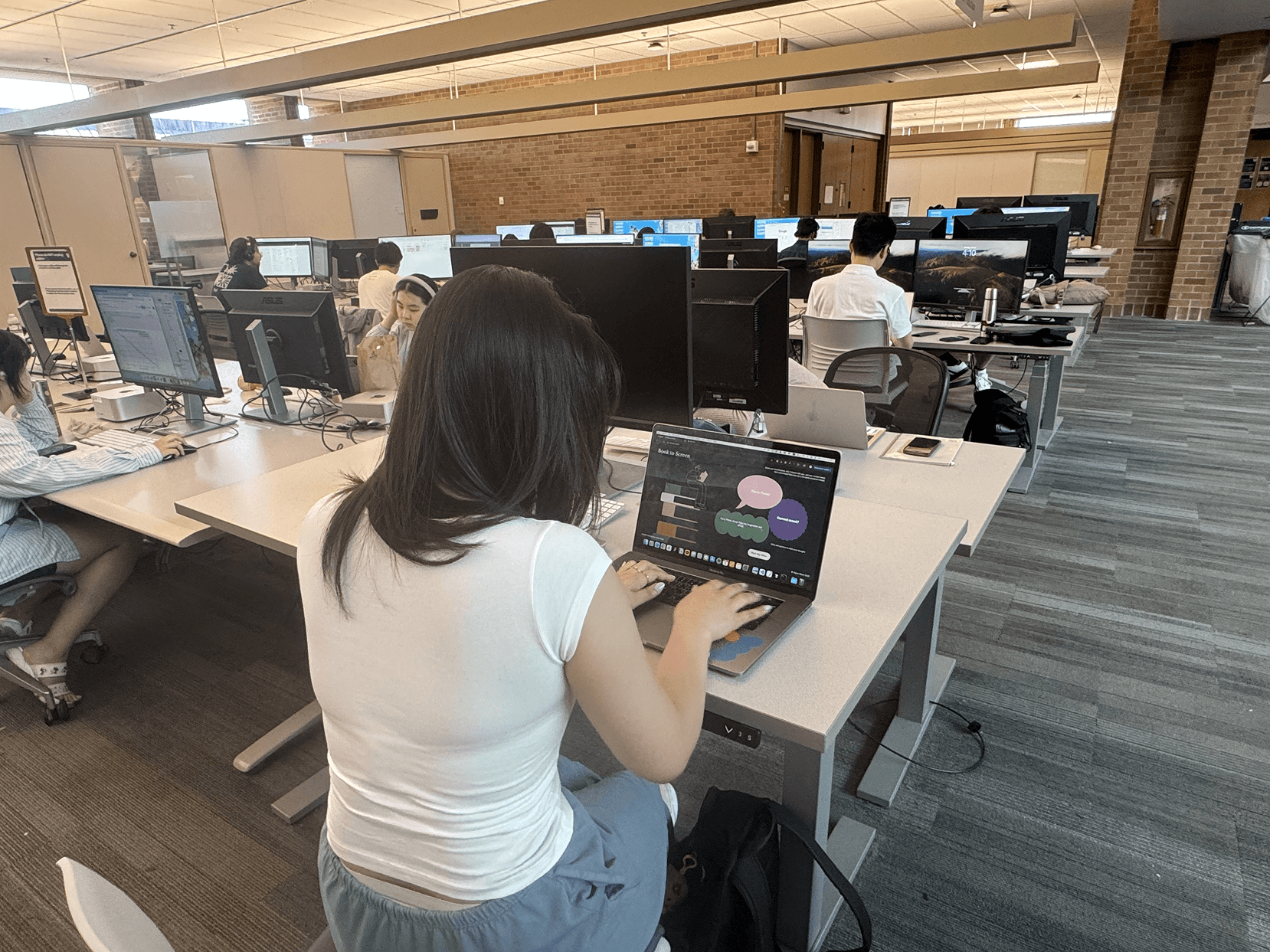
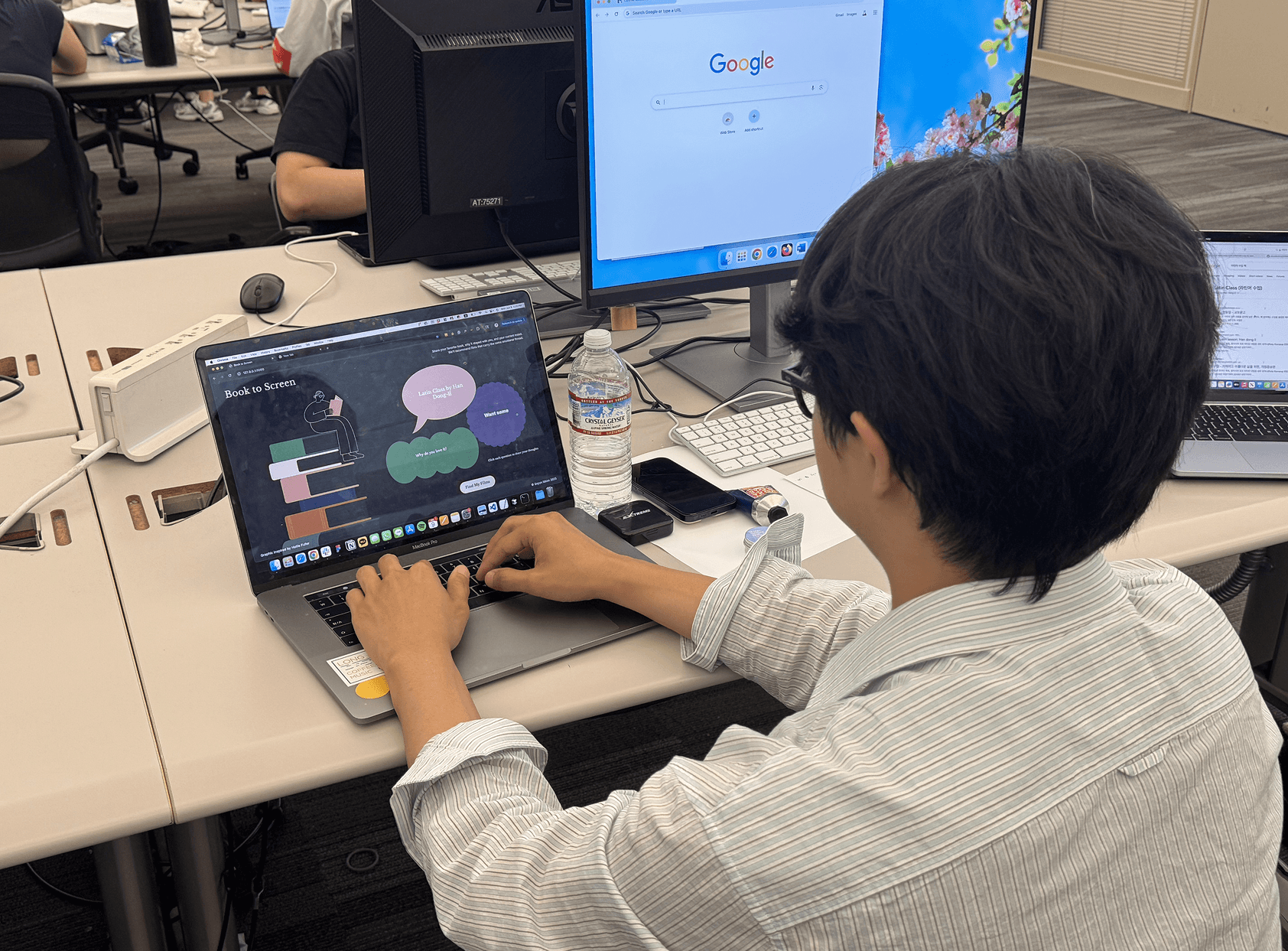
I tested with four participants, evaluating emotional resonance of the recommendations and usability of the interface.
Findings
Personalized explanations built trust
Highlighted the “Why this film” copy, tying recommendations directly to user input.
Lack of loading feedback caused confusion
Added a loading state to surface what’s happening in the backend.
Users prefer interactive and engaging experiences
Replaced static cards with a scrollable carousel and switched to light mode for a warmer, more personal tone.
Final Output
Input
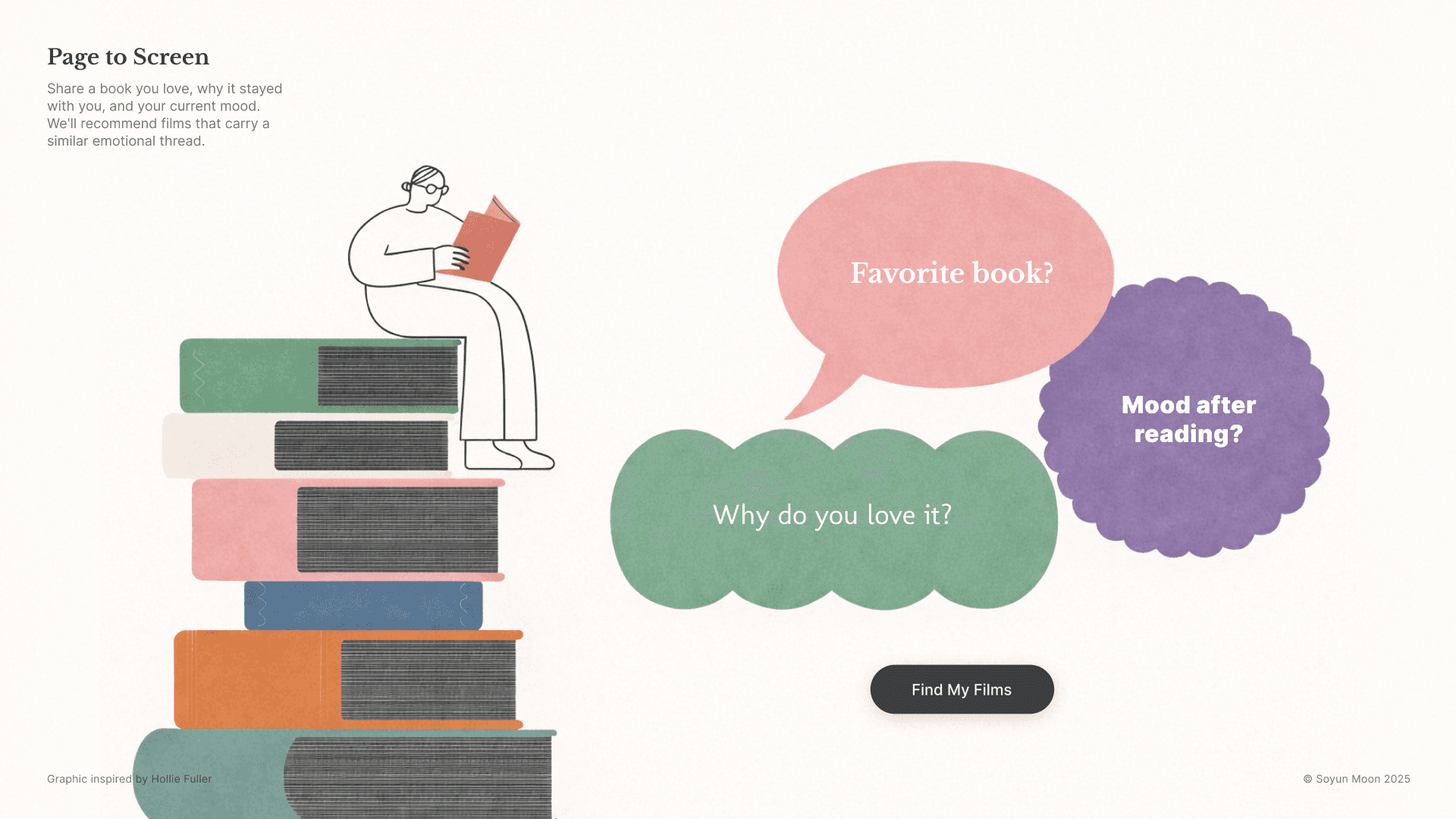
Three conversational prompts ask what book the user loves, why it resonated, and how it made them feel. The experience is designed to feel like a conversation, not a form.
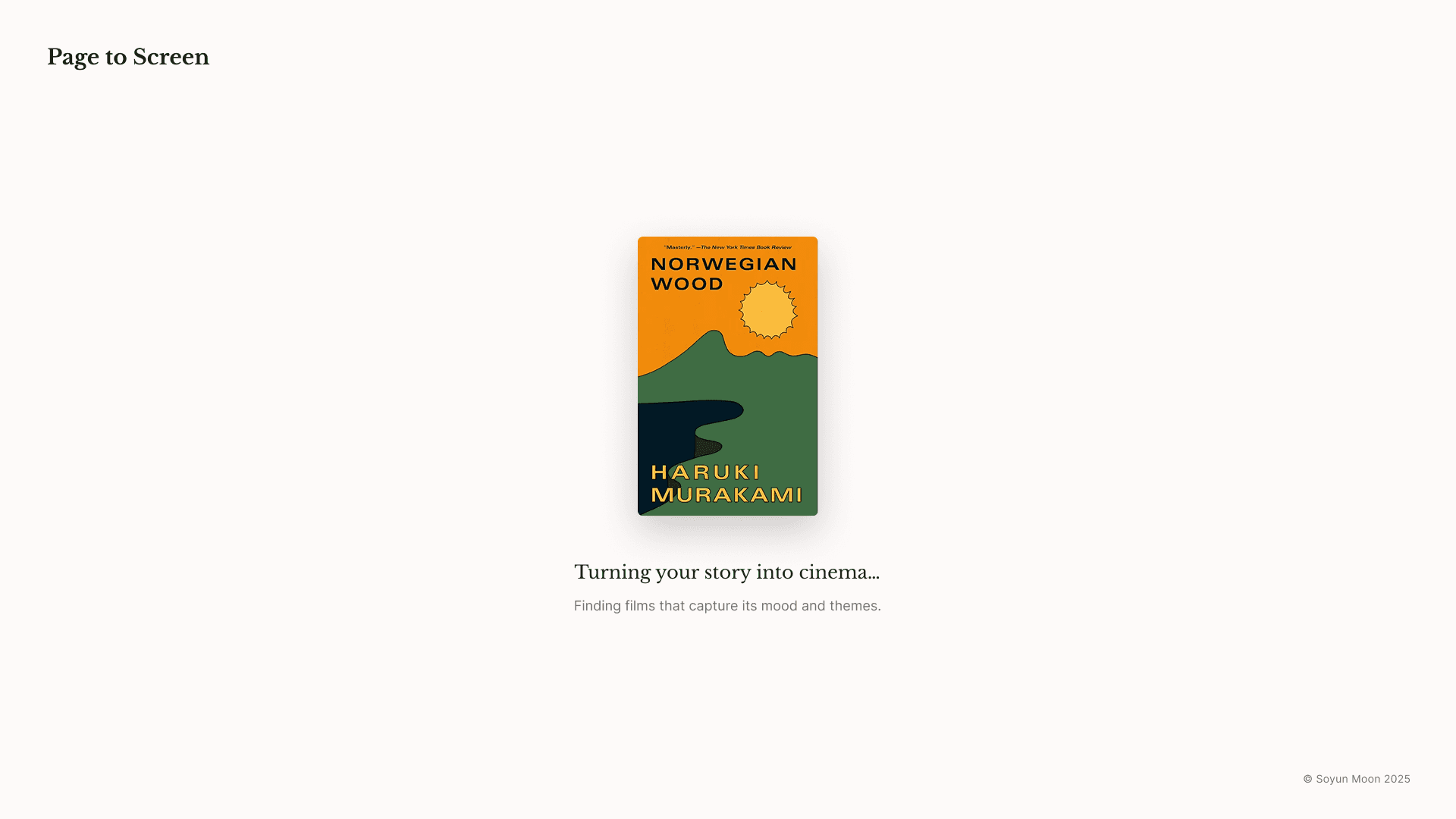
Loading State
A transition screen that surfaces what's happening in the backend, reducing uncertainty while the system works.
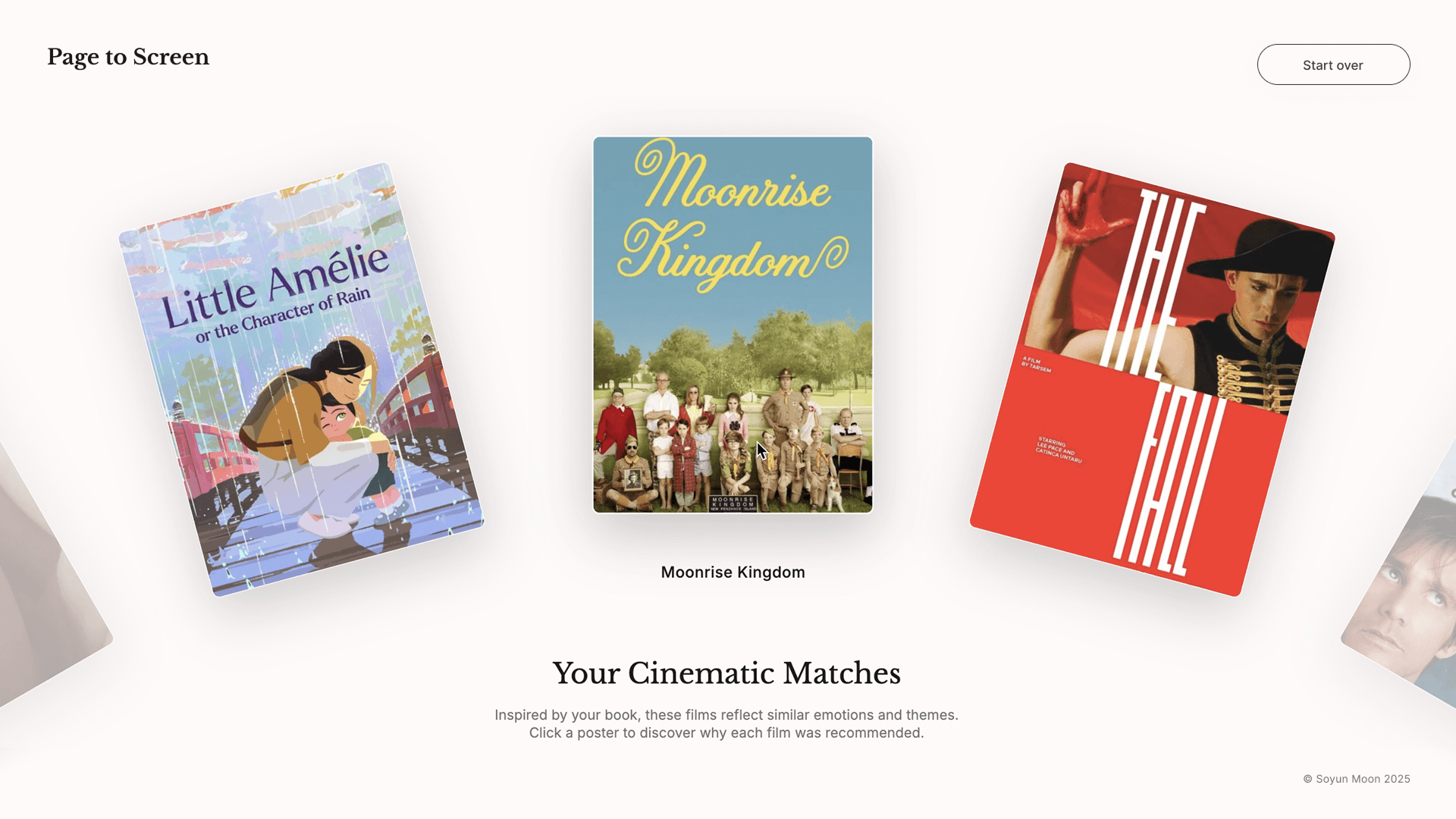
3. Movie Carousel
Recommended films appear in a horizontally scrollable carousel, creating a fluid and cinematic experience rather than a list.
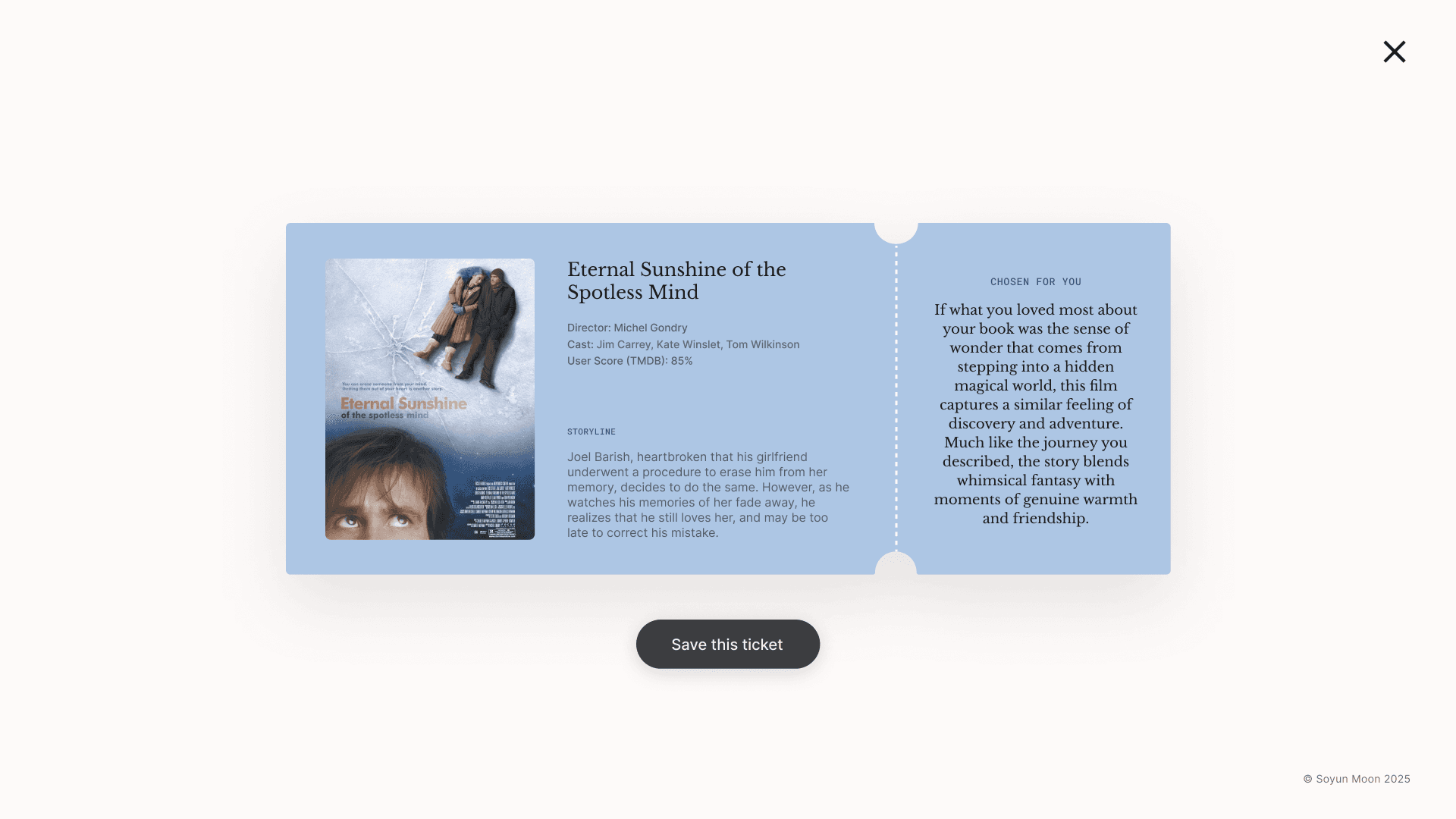
Movie Ticket View
Each film expands into a "movie ticket" that displays the poster, storyline, and a personalized explanation written in the user's own language.
Takeaway
This project taught me that effective AI prototyping goes beyond good prompts. It needs clear design direction, structured workflows, and real user feedback.
Working with Figma Make and Cursor helped me move fast, but speed only mattered when the output stayed coherent. That depended on how well I guided the AI, not just prompted it. A structured PRD and understanding how each tool works made a big difference, and usability testing ensured the final result stayed grounded in real user needs.
SOYUN MOON
⋆⁺₊⋆ ☾⋆⁺₊⋆